excell guru's

/ excell guru's #1  

toddbailey

Silver Member
Joined
Mar 6, 2008
Messages
136
Location
south carolina
Tractor
nh 3930, ford 1910, farmall super a, allis chamlers b
Hopefully someone here can help me out on this one, using office 2010, in Excell I am trying to write a formula to do this for example:
cell h9(if cell h10's value is 0> then cell h9=F, if cell h10's value is 0< then cell h9=C) hopefully someone can help with this it is driving me crazy trying to figure it out!
 
/ excell guru's
  • Thread Starter
#2  
never mind finally found the answer! :laughing:
 
/ excell guru's #3  
I have learned so much Excel in the past few months that I need to write a book.
Conditional formatting the cell values will really make them pop out.
 
/ excell guru's #4  
Hopefully someone here can help me out on this one, using office 2010, in Excell I am trying to write a formula to do this for example:
cell h9(if cell h10's value is 0> then cell h9=F, if cell h10's value is 0< then cell h9=C) hopefully someone can help with this it is driving me crazy trying to figure it out!

Place this code into cell H9
Code:
=IF(H10>0,"F",IF(H10<0,"C","-"))
 
/ excell guru's #6  
As long as you want nothing in H9 if H10 = 0, that will work

However, if you want an "F" or a "C" returned for a value equal to zero, your formula won't work.
 
/ excell guru's #7  
=IF(H10<0,"C","F")
Will return F for > or = zero.

Hit the fx button and it will give you a form to fill out for the function you want.
 
/ excell guru's #8  
I've found excell to be very powerful. There's no way I could ever know all of the things excell can do. I rely heavily on google. I'll type in a description of what I want to do in excel, and I'll almost always get a very clear and useful explanation of how to do it.
 
/ excell guru's #9  
I've found excell to be very powerful. There's no way I could ever know all of the things excell can do. I rely heavily on google. I'll type in a description of what I want to do in excel, and I'll almost always get a very clear and useful explanation of how to do it.

Excel is a great program...not sure where some guys come up with that extra "L" though.
I'm nearing the end of my career in Quality Assurance. One thing I always promote to the younger guys is to learn Excel. It's one of the most versatile programs for use in industry...for creating work instructions as well as most statistical work and charting.
For you guys starting your careers in manufacturing...learn Excel! And once you've got that down, go for Access.
 
/ excell guru's #10  
Excel is a great program...not sure where some guys come up with that extra "L" though.
I'm nearing the end of my career in Quality Assurance. One thing I always promote to the younger guys is to learn Excel. It's one of the most versatile programs for use in industry...for creating work instructions as well as most statistical work and charting.
For you guys starting your careers in manufacturing...learn Excel! And once you've got that down, go for Access.

Great advice Roy!

I'm a huge fan of Excel too. Excel has some decent database functionality as well.
 
/ excell guru's #11  
I've found excell to be very powerful. There's no way I could ever know all of the things excell can do. I rely heavily on google. I'll type in a description of what I want to do in excel, and I'll almost always get a very clear and useful explanation of how to do it.

Google knows all lol.
 
/ excell guru's #13  
Iplayfarmer--I'm intrigued by this use of Google as a tutorial for Excel. Could you give an example of a description question you might Google, so I can try it and see the result? Thanks for the help! Regards, Mike
 
/ excell guru's #14  
Iplayfarmer--I'm intrigued by this use of Google as a tutorial for Excel. Could you give an example of a description question you might Google, so I can try it and see the result? Thanks for the help! Regards, Mike

I'll step into this one since I used Google extensively to create a couple of Access databases last year.

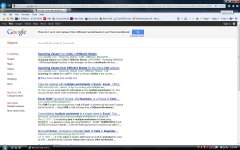
We'll use a simple question: "How do I sum cell values from different worksheets in an Excel workbook?"
The results of this query are shown in the attached picture.
Just select a link to start. You'll soon determine if it's pertinent and user friendly enough for your needs.
 

Attachments

  • Google Results.jpg
    Google Results.jpg
    186.8 KB · Views: 108
/ excell guru's #15  
An interesting thing most over looked by Office Suite users is a thing called Visual Basic in Applications Mode. Google automation. If your using Excel or Access you can programatically call other Office Suite products like Visio, Excel, Word and Outlook. Then your database can draw diagrams, create Excel Workbooks, Worksheets and Charts, create Word Documents and Mail information to users. Viso can also be used to reverse engineer Access databases. Or at the very least, document them.

A real eye-opener for prospective employers is this knowledge, once VBA is mastered, calling these products from each other really can add value to a busiess or enterprise.
 
/ excell guru's #16  
An interesting thing most over looked by Office Suite users is a thing called Visual Basic in Applications Mode. Google automation. If your using Excel or Access you can programatically call other Office Suite products like Visio, Excel, Word and Outlook. Then your database can draw diagrams, create Excel Workbooks, Worksheets and Charts, create Word Documents and Mail information to users. Visio can also be used to reverse engineer Access databases. Or at the very least, document them.

A real eye-opener for prospective employers is this knowledge, once VBA is mastered, calling these products from each other really can add value to a business or enterprise.

Quite a good comment about VB...and there are many examples one can find on the internet.
One thing I had to put into one of those Access databases was an automatic e-mail notification to a group whenever a new record was saved. In this case, we were expanding our Corrective Action system to others (non-QA people) in the company and the e-mail was to notify the QA personnel
Anyway, I found a couple different examples of code I could use to enable the e-mail notification...worked quite well too!
 
/ excell guru's #19  
I'll step into this one since I used Google extensively to create a couple of Access databases last year.

We'll use a simple question: "How do I sum cell values from different worksheets in an Excel workbook?"
The results of this query are shown in the attached picture.
Just select a link to start. You'll soon determine if it's pertinent and user friendly enough for your needs.

What Roy said.

My real appreciation of excel also began when I was QA manager at a food company. It must be a QA thing. I'm now mostly involved in Research and Development but I still use Excel a lot.

An example of a query I used recently was to learn how to insert a portion of the filename into a cell. When I put insert fileneme in excel 2007 into a google search I came up with the following page as the first result... Inserting the current Excel file name in a cell - Excel - Office.com. This page contained all the information I needed because it has a decription of how to pick out a small portion of the filename by using the MID function. Sometimes I have to combine a few searches and articles to accomplish what I want.
 
/ excell guru's #20  
Thanks guys!! I don't use Excel often enough to become knowledgeable--this should really help. Thanks for the replies. Regards, Mike
 

Marketplace Items

2022 CORMIDI C85 STAND-ON MINI DUMPER (A62129)
2022 CORMIDI C85...
1995 Peterbilt 379 Tri-Axle Dump Truck (A61568)
1995 Peterbilt 379...
Brent 420 Grain Cart (A63118)
Brent 420 Grain...
2017 Ford Escape (A61569)
2017 Ford Escape...
Bobcat Skidsteer (A60352)
Bobcat Skidsteer...
MARATHON 20KW GENERATOR (A58214)
MARATHON 20KW...
 
Top