Great!

/ Great! #43  
Gizmo36 said:
Test again see if it works.
What does your pic file look like? What I see is a page that looks like the one you get when you've not logged in.
 
/ Great! #44  
normde2001 said:
How do you make a browser, (Internet Explorer), resize pictures? Those pics, (600+KB), are huge on my screen.
As can be seen by Eddies's prior post, that's you problem not his.

Not all browsers have the ability to resize/fit large images to fit the window. I use Opera for a browser and it has a feature to resize large pics to fit within the resolution you are using. It's called "fit window to width" I don't normally use it as it plays with some of the other stuff in a window I'd prefer it not to do. FireFox has some ability to rescale. Options/Advance/Browse and check "rescale large images to fit window."

Don't use IE so don't know if it has that capability.
 
/ Great! #46  
Gizmo36 said:
Test again see if it works.
You're almost there.

You got your picture attached but there is another step to make it visible. Use the 'paperclip' feature above the editing box to plug the attachment, as a visible picture, into your message at the cursor position.

You have a few hours (12 hrs?) to go back and edit that post before it is locked, in case you happen to read this today.
 
/ Great! #47  
see if this will work, If you all can not see this picture let me know and i will call some one and see how to do it.
 

Attachments

  • Picture 00102.bmp
    65.1 KB · Views: 137
/ Great! #48  
Gizmo, I still see your intended attachment as text in a box. (Great tractor!) I wonder if the problem could be using bmp rather than jpg format for the picture.

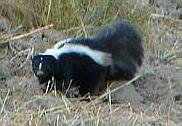
Here's a little picture I just prepared for another use. I took it last week. (with 10x telephoto!)
P1010470rSkunk(tiny).JPG

The method to get the picture showing was to first upload it using Manage Attachments, and then prepare a spot for it by writing (CENTER) (/CENTER) but using square brackets in place of the parentheses you see here.

Then I put the cursor on that space between the Center tags, clicked on the downarrow next to the paperclip (above the text entry box), and clicked on my attachment name shown there.
 
/ Great! #49  
Couldn't find a more appropreate location so will ask here.

Much of the time I can't view pics others have posted. Typ I don't log-in unless there is something I want to post. If I click on a pic listing (don't see any thumbnails) I get a screen saying I not logged-in. Try to log-in and all I get is the same screen saying I've not logged-in.

What's the secret?
 
/ Great!
  • Thread Starter
#50  
Did they "improve" this forum again? My signature picture disappeared yesterday and I can't figure out how to get it back.
 
/ Great! #51  
I think they did something because a couple days ago I didn't get the headings near the top taht say compact tractor discussion forums>general forums or whatever I was in. I had to keep going back to the main index tab to be able to look at other topics. Then the next day they were back again.
 

Marketplace Items

Honda EM3500S Portable Gasoline Generator (A59228)
Honda EM3500S...
2016 Freightliner M2 106 Altec AM50 50ft. Bucket Truck (A59230)
2016 Freightliner...
UNUSED FUTURE SGB20-20" HYD STUMP GRAB BUCKET (A60432)
UNUSED FUTURE...
1990 International F-4900 Tri Axle Dump Truck (A59230)
1990 International...
2007 Heil Heavy Duty Aluminum Tank Trailer (A61306)
2007 Heil Heavy...
Bush Hog 72in Rotary Brush Cutter Tractor Attachment (A55852)
Bush Hog 72in...
 
Top