posting attachments (digital pics)

   / posting attachments (digital pics) #21  
Why is everyone so concerned over the size of Dass' picture? The fact that it has processed and the Attachment link is there tells you that the server found the filesize to be less than the limit.

Why it has uploaded and has a file size of 0 bytes is a whole 'nother issue. Not sure what causes this. Could it be that you (Dass) just renamed a file with a .JPG extension (which does not make it a .JPG photo)?

Muhammad, what happens when a non-image file is uploaded?
 
   / posting attachments (digital pics) #22  
Good catch Gatorboy - whatever that file is, it's less than 100K or the file name wouldn't be there.....

Attached is a .txt file.... it it takes it

Hmmm..
TBN doesn't mind .txt files at all.....
 
   / posting attachments (digital pics) #23  
OK, Dass, let's start over...

You have the file from your camera. What is the file extension as it comes off the camera? .jpg .tif .bmp .???

Then are you using some program to save it as a .jpg? If so, what program?

Then, after it is a .jpg you check the size of the file. What size is it?

If it is under 100K in size, you attempt post it here.

Something is coming across to TBN, but there doesn't appear to be any size to it, and one of the attachments appears to have a .ZIP extension.

So, let's try it again /forums/images/graemlins/laugh.gif

1. Take the photo file from your camera and get it on your PC.

2. Use some photo editing software that probably came with your camera to save it as a file like 'test.jpg' using the 'File, Save As" functions of the photo editing software.

3. Find the properties of 'test.jpg' and see if it is under 100K. If it is, post it here. If it is not, you will have to use the photo editing software to make it smaller.

4. Once you have it as test.jpg and it is under 100K in size, come back and make a reply to your first message.

5. Then, like Bird posted:
Type your message, then look below the dialogue box (just above the "Continue" button) and be sure you have a check mark in the "I want to preview my post and/or attach a file", then click on the "Continue" button. That will bring up a screen with ( You may attach a file if you like (no bigger than 100000 bytes please) ) just above the "Continue" button. Click on "Browse" at the end of that box. That will show a directory for your computer; find the file name for your photo and open it. It will appear in that box, click "Continue" and you're done.

Hope this helps /forums/images/graemlins/laugh.gif
 
   / posting attachments (digital pics) #24  
<font color="blue"> Why is everyone so concerned over the size of Dass' picture? </font>

Because we asked what the file size is and we would like an answer. It might be a zero length file, which would indicate another problem. /forums/images/graemlins/smile.gif
 
   / posting attachments (digital pics)
  • Thread Starter
#25  
I've tried all the above soooo......
 
Last edited:
   / posting attachments (digital pics)
  • Thread Starter
#26  
The size of the last attachment is 510 bytes in compressed (zipped) file. It's the only way I can send a pic . dass
 
   / posting attachments (digital pics) #27  
The zipped file contains a shortcut link to a picture on your PC. Not much good to us here on the web.

You need to upload the actual .JPG file that came from your camera.
 
   / posting attachments (digital pics)
  • Thread Starter
#28  
I thought that would be the case. The smallest I can compress to is 1,017 bytes. Not many options on this machine.But my thanks to all of you that helped. dass
 
   / posting attachments (digital pics) #30  
dass,
e-mail me the pic right off the camera/disk if you can. I'll see what I can do for you.

Jerry
 
   / posting attachments (digital pics) #31  
</font><font color="blue" class="small">( The smallest I can compress to is 1,017 bytes. )</font>

That is alot smaller than the 100,000 byte limit!
 
   / posting attachments (digital pics) #32  
What the heck, thought I'd give it a try myself. Downloaded PIXresizer. Just made my thumbnail (been planning to for a while) and it worked slick as an eel. Gotta go back and get the aspect right (height vs width) but very easy to manipulate.
 
   / posting attachments (digital pics) #34  
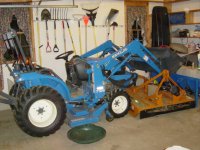
For those of you who can't stand the suspense. Here's a pic of a TC18 to tide you over.

Dass,

I emailed you this picture. See if you can get it to upload.

Good luck
 

Attachments

  • 319817-Garage.jpg
    319817-Garage.jpg
    59.9 KB · Views: 138
   / posting attachments (digital pics)
  • Thread Starter
#35  
Well,let's see
 
Last edited:
   / posting attachments (digital pics)
  • Thread Starter
#36  
Can everyone open that,PIXresizer worked well !
 
   / posting attachments (digital pics) #38  
Looks good from here!
/forums/images/graemlins/smile.gif
Don
 
   / posting attachments (digital pics) #39  
Good job! Now post one of your own and see how that goes.
 
   / posting attachments (digital pics)
  • Thread Starter
#40  
Thanks to ALL of you for your time and patience. dass
 

Tractor & Equipment Auctions

2014 Ford F-550 (A55973)
2014 Ford F-550...
2015 Ford Escape AWD SUV (A59231)
2015 Ford Escape...
2018 Kubota U17 (A53317)
2018 Kubota U17...
DEUTZ MARATHON 60KW GENERATOR (A55745)
DEUTZ MARATHON...
2013 Audi A4 Sedan (A55853)
2013 Audi A4 Sedan...
Crown Stand-On Electric Forklift (A59228)
Crown Stand-On...
 
Top