GPS recommendations

   / GPS recommendations #1  

Oaktree

Super Member
Joined
Mar 1, 2012
Messages
7,688
Location
Coös, N.H.
Tractor
Kioti LK3054xs
Wife's been bugging me to do a road trip, we're figuring on taking it next year and I was considering getting a GPS. Usually I just go with a road atlas (and still plan to use that over the big picture) but they don't show much detail beyond the state/federal highways.
I've seen off brand ones on Amazon for fairly cheap money? Any experience with these? How do they compare to a Garmin? Don't want to spend a lot on something that we probably won't use that much, but also want something that's gonna work.

I don't have (or want) a smart phone, so that option is off the table.
 
   / GPS recommendations #2  
Garmin.
Buy one with a decent sized display and lifetime map updates.
Smartphones are great but where there is no cell service you cannot beat an old school Garmin. I do not plan on being without one.
 
   / GPS recommendations #3  
I use off line maps on my smartphone when in Utah etc.
Agreed, Garmin, and make sure lifetime updates.Things change all the time. Not having real time traffic would be a deal breaker for me though.
 
   / GPS recommendations #4  
I use off line maps on my smartphone when in Utah etc.
Agreed, Garmin, and make sure lifetime updates.Things change all the time. Not having real time traffic would be a deal breaker for me though.

Garmin has traffic info if you get one set up for it.
 
   / GPS recommendations #5  
Garmin.
Buy one with a decent sized display and lifetime map updates.
Smartphones are great but where there is no cell service you cannot beat an old school Garmin. I do not plan on being without one.

All smart phones (at least, any current name brand one) have GPS circuitry built in. Cell service IS NOT needed for the cell phone to function as a GPS unit. The problem is visibility of the phone screen - if you set it to full brightness and staying on constantly, you quickly use up the battery so it needs to be plugged in. That, plus the maps that are included with the cell phone suck (at least here in the West!). They don't show any of the minor (dirt) roads. You can download any number of apps, depending on what you intend to do with the phone GPS, but then you have to learn how to use it and the maps generally are not up-to-date.

At last count I believe I have something like 7 GPS units that I've accumulated through the years. Most are Garmin but a couple are Delorme (which recently was swallowed up by Garmin). The people I've talked to who have tried the off-brand GPS units were not very happy with them. If you get a Garmin automotive unit it will come with City Navigator maps; Garmin updates these at least twice a year so you'll always have the latest maps. But City Navigator maps are strictly for main roads - they also don't show a lot of the minor dirt roads. Which is not a problem - you can go to a site like gpsfiledepot.com and download free topo maps for whatever state you are interested in and they will be very detailed. Then you can choose which maps you want to display on your GPS unit. The other thing very handy about having an automotive unit with the City Navigator maps is that you will have an updated listed of service stations, motels, eateries, etc. - choose which category you are looking for and the GPS will bring up all options within so many miles. Or choose an address, enter it into the GPS unit and it will guide you right to that address.

I don't know how I survived without a GPS unit for all these years....I would have never known there was a "*****" Canyon to explore if it didn't pop up on my GPS unit!
P1001133r.jpg
 
   / GPS recommendations #6  
Not trying to sell you a cell phone but maybe help someone else, but in my F150, which doesn’t have built in navigation, if I plug my phone in the maps show up on the built in screen and it gives turn by turn directions over the radio. My phone came with Waze on it, it updates all the time to. I used it the first time yesterday to look at what exits were closed in the Quad Cities area. Kind of handy for that. One advantage of the smart phones is the maps update automatically and for free.
 
   / GPS recommendations
  • Thread Starter
#7  
Thanks for the info, Looks like a Garmin is the way to go. Traffic option seems to add almost 50% to the price, and from what I can tell from the write-ups still requires a "compatible" smart phone so in my case seems like a waste of money. Probably much more handy for commuters.

I notice Amazon lists a lot of refurb/used units. Good idea or not? I'm a bit skeptical about buying used...if it was working OK, why would someone get rid of it? I can't imagine new ones are all that much better than one only a few years old.

Also, is an outside antenna a good idea? I had one in my company truck at the last place I worked, and it seemed to take forever to lock on satellites thru the windshield...an external antenna was pretty much a must, but this would have been an early-mid 00s vintage unit, I would hope newer ones would be better.
 
   / GPS recommendations #8  
I'm a big fan of the Garmin dash-top units, but they are pretty difficult to learn to use really effectively.

I HAVE to use specialized GPS (like the backpacking kind) when I'm in extreme backwoods motorcycling where smart phones don't work... and they are made to get wet and dirty and banged around.

BUT... for a roadtrip on public highways, nothing compares to the smartphone apps like Google Maps and Waze, in my opinion. They use real-time traffic data and the location info from the thousands of vehicles around you to help you navigate and avoid traffic tie-ups. They also usually know when there's a temporary road closure that a traditional GPS will hijack you on. Sometimes the app will tell you to take an exit that makes no sense, but then you find that you avoided a 30-minute jam. They're not always perfect, but way better than just knowing where you're going. ;)

I often travel for business and never use a map. All I need is the address and Google Maps tells me how to get there, and sometimes where to park.

I like to be away from technology whenever I can, but the smartphone GPS is a real game changer for me.
 
   / GPS recommendations #9  
I've had numerous GPS units over time. I get the units from Garmin you can load maps into like Topo or City Navigator. The current one I've had for many years a Garmin Montana 600. You can customize screens and even setup profiles for like straight line gps navigation or follow road navigation. The downsides is they are proud of these units and the mapping software.
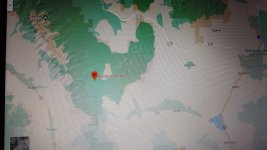
If I'm out in the sticks and have the topo maps loaded I can switch maps for interesting places like this.
20200903_173915[1].jpg
 
   / GPS recommendations #10  
Thanks for the info, Looks like a Garmin is the way to go. Traffic option seems to add almost 50% to the price, and from what I can tell from the write-ups still requires a "compatible" smart phone so in my case seems like a waste of money. Probably much more handy for commuters.

I notice Amazon lists a lot of refurb/used units. Good idea or not? I'm a bit skeptical about buying used...if it was working OK, why would someone get rid of it? I can't imagine new ones are all that much better than one only a few years old.

Also, is an outside antenna a good idea? I had one in my company truck at the last place I worked, and it seemed to take forever to lock on satellites thru the windshield...an external antenna was pretty much a must, but this would have been an early-mid 00s vintage unit, I would hope newer ones would be better.

Don't know about the used units - but the refurb units are just fine. They've been tested so you know they work.

External antenna is not needed in most cases. Matter of fact, most of the newer automotive units have no external antenna port so you can't use an external antenna. All my older units did have them but the only time I found an external antenna necessary was in my truck with a metal-bodied cabover camper that covered the whole cab and a good part of the hood of the truck. Otherwise the units work fine in all my rigs without needing an external antenna.

This is an excellent source for anything GPS: Garmin GPS, RAM Mounts, Lowrance GPS at GPS City
 
   / GPS recommendations #11  
Thanks for the info, Looks like a Garmin is the way to go. Traffic option seems to add almost 50% to the price, and from what I can tell from the write-ups still requires a "compatible" smart phone so in my case seems like a waste of money. Probably much more handy for commuters.

I notice Amazon lists a lot of refurb/used units. Good idea or not? I'm a bit skeptical about buying used...if it was working OK, why would someone get rid of it? I can't imagine new ones are all that much better than one only a few years old.

Also, is an outside antenna a good idea? I had one in my company truck at the last place I worked, and it seemed to take forever to lock on satellites thru the windshield...an external antenna was pretty much a must, but this would have been an early-mid 00s vintage unit, I would hope newer ones would be better.

I have 2 Garmin with traffic, neither requires a cell phone, data plan or any other extra connection or subscription. The traffic antenna is built into the Garmin power cord and the whole system ( both of them) work fine without any external antenna.
 
   / GPS recommendations #12  
I've had numerous GPS units over time. I get the units from Garmin you can load maps into like Topo or City Navigator. The current one I've had for many years a Garmin Montana 600. You can customize screens and even setup profiles for like straight line gps navigation or follow road navigation. The downsides is they are proud of these units and the mapping software.
If I'm out in the sticks and have the topo maps loaded I can switch maps for interesting places like this.
View attachment 668513

And you need a place to stay...

KC

BLOODY DICK CABIN.jpg
 
   / GPS recommendations #13  
i have a Garmin 61... use it nearly every day for business. only way to go.
 
   / GPS recommendations #16  
Plus on a Garmin with lifetime mapping updates! With the Garmins, you can do a detour or find place to eat, sleep and find fuel. All a plus when traveling. Garmin also has there own refurbished outlet. Got the wife a Drive 5 version and was able to add a backup cam to it since her vehicle doesn't have one.
 
   / GPS recommendations #17  
Plus on a Garmin with lifetime mapping updates! With the Garmins, you can do a detour or find place to eat, sleep and find fuel. All a plus when traveling. Garmin also has there own refurbished outlet. Got the wife a Drive 5 version and was able to add a backup cam to it since her vehicle doesn't have one.
mine you the updates take 3 hours. my garmin has been updating for last 1.5 hours...not quite 50%
 
   / GPS recommendations #18  
mine you the updates take 3 hours. my garmin has been updating for last 1.5 hours...not quite 50%

On DSL updates were an overnight event. Here on Charter Internet it takes an hour or a bit more. But updating is a chore that does require a bit of planning so it is not a huge inconvenience.
 
   / GPS recommendations #19  
Another vote for Garmin with lifetime map updates and live traffic updates. I bought the largest screen model I could get and love it. They have lots of features and do takes some getting used to, so I found the best way to get comfortable with it is to use it a lot. I add a Saved Place every time I take a trip to a regular stop of mine, even if less than an hour away. I have dozens of stores, parks, camp sites, etc saved. Now when I'm out somewhere and want to hop to another point I use the Garmin. Even if I know of a better or preferred route I can take my route and let the Garmin recalculate. I love the shift to street view on mine, showing actual street level photos of complex exits and ramps as I approach, with arrows indicating the proper lanes to be in. Using it more often than needed makes it MUCH easier to use when I really need it, especially when it comes to searching or entering a new point or address. I've even packed it when traveling by air on business trips so I can use it in my rental cars at the destination city.
 
   / GPS recommendations #20  
All smart phones (at least, any current name brand one) have GPS circuitry built in. Cell service IS NOT needed for the cell phone to function as a GPS unit.

The vast majority of folks using smart phones for navigation are using Google Maps or Apple. Neither work in real time without cell service.
 

Tractor & Equipment Auctions

Crown Stand-On Electric Forklift (A59228)
Crown Stand-On...
MARATHON 76KW GENERATOR (A58214)
MARATHON 76KW...
2004 Pierce Tilt Crew Cab Enforcer Fire Truck (A59230)
2004 Pierce Tilt...
RAKE ATTACHMENT FOR MINI EXCAVATOR (A58214)
RAKE ATTACHMENT...
17501-FL (A56857)
17501-FL (A56857)
1999 Toro Reelmaster 5400-D 100in Fairway Reel Mower (A59228)
1999 Toro...
 
Top