Netscape/Firefox tweak

   / Netscape/Firefox tweak #1  

JayC

Veteran Member
Joined
Sep 23, 2001
Messages
2,245
Location
MI's Thumb
I found this on another forum I go to. It says it is for braodband only, though I don't know how it would hurt if someone with dial-up tried the tweak. I've got broadband DSL now, so it works fine for me. When you go through the steps, be sure not to use the quote marks that surround some of the names. I'm using Netscape 7.2 and I notice that it is a bit faster.

1.Type "about:config" into the address bar and hit return. Scroll down and look for the following entries:

network.http.pipelining
network.http.proxy.pipelining
network.http.pipelining.maxrequests

Normally the browser will make one request to a web page at a time. When you enable pipelining it will make several at once, which really speeds up page loading.

2. Alter the entries as follows:

Set "network.http.pipelining" to "true"

Set "network.http.proxy.pipelining" to "true"

Set "network.http.pipelining.maxrequests" to some number like 30. This means it will make 30 requests at once.

3. Lastly right-click anywhere and select New-> Integer. Name it "nglayout.initialpaint.delay" and set its value to "0". This value is the amount of time the browser waits before it acts on information it recieves.
 
   / Netscape/Firefox tweak #2  
JayC.. I hope you don't mind me adding to this thread and turning it into a Firefox tutorial, but here is additional information to help with a GREAT browsing experience using Firefox:

1) Click on Tools/Options and click the advanced button beside enable Javascript and uncheck all the boxes.

2) Get the Adblock Plugin . This is the best thing you can ever do for your browsing experience. On the page brought up click the Install now button. Let it install then close all firefox windows and start one back up. Adblock should now be functional and just needing configuration.

Adblock specific configurations:

1) Click on Tools/Adblock/Preferences. Make sure Enable Adblock is checked. Click on Adblock Options in the top right of the small window. Make sure that "Obj-Tabs", "Collapse Blocked Elements", and "Site Blocking" are checked.

2) Use a good filter list. You can import the one that I use to start with. Right click this sentence and choose save as (Internet Explorer) or save link as (in Firefox) and save the txt file to your desktop. Go back to the adblock window and click the Adblock options again and import filters. You don't have any filters so overwriting is OK.

Start browsing and enjoy your new browsing experience. PM me if you have ANY issues you need help with.

Firefox is currently impervious to any Spyware, but you can still get spyware by using Outlook or Outlook express through junk mail, so beware and stay vigilante.
 
   / Netscape/Firefox tweak #3  
The previous post is mainly browsing experience related. This one is security/privacy related.

Good practices for security/privacy:

For maximum security/minimal nag: Click on Tools/Options and click the privacy icon. In the cookies section, check allow sites to set cookies and "for the originating site only". In the drop down box set it to until I close Firefox. Firefox will work normally and accept cookies just as IE does, but will discard all of them when you close it down.

For the REALLY tin foil hat types, if you don't want sites knowing how you got to their site (by following a link from somewhere else), then go to the about:config page just like JayC explains and find the entry for network.http.sendrefererheader to 0. Firefox will refuse to tell any site where it came from.
 
   / Netscape/Firefox tweak #4  
I have another firefox question, and it sounds like there are a few experts here....

when browsing into a site with a drop down menu,, (ie: /forums/images/graemlins/confused.gifwww.syracuse.com) , the drop down menus don't work, and it may be something to do with java, but i'm not that knowledgeable about it..

does anybody know a fix for this?
 
   / Netscape/Firefox tweak #5  
Do you have a link to the exact area of the site with the problem? I went to the main page and clicked around a few pages, but could never find any drop downs... only the text fields for zip code and such.

Also, make sure you are up to date with Firefox and your Sun JVM.
 
   / Netscape/Firefox tweak #6  
Thanks! After i switched to firefox, I doubt I'll go back.
 
   / Netscape/Firefox tweak #8  
while in the syracuse.com page, the black bar across the page has all of the drop down links, "home" "news & biz" "local" "sports" etc.. they are all drop down menus in IE....and I can't get them to work in mozilla.,
I am running Firefox 1.0....
 
   / Netscape/Firefox tweak #9  
</font><font color="blue" class="small">( in the syracuse.com page, the black bar across the page has all of the drop down links, "home" "news & biz" "local" "sports" etc.. they are all drop down menus in IE....and I can't get them to work in mozilla. )</font>

Me Too.

I'm running Mozilla 1.7 which preceded the recent Firefox introduction. Clicking one of the Syracuse tabs (after subscribing) brings up the related page such as Sports but not the detailed menu you see in IE.

I'll still stick with Mozilla.
 
   / Netscape/Firefox tweak #10  
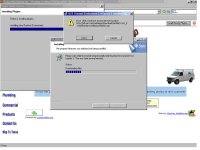
I have tried installing Firefox on all of my computers at work and at home and none of them will intall it. It keeps saying I need plugins and I click to install the plugins and it gets half way through and comes up with the error attached. I have tried to manually download the plugins and install and come up with the same error. I have firewalls at work but I don't have at home. I have email firefox tech support and have not gotten an answer in months from them. Can't find anything on the FAQ's either. Now I haven't checked in the last month which I probably should.


murph
 

Attachments

  • 585774-mozilla.JPG
    585774-mozilla.JPG
    36.5 KB · Views: 111
   / Netscape/Firefox tweak #12  
Dutch 445:
There will be a VERY small percentage of sites that are not coded with web standards. Internet Explorer allows certain things that are not "standard" per se that other standards based browsers do not display correctly. Firefox is also very strict in its security. Sloppily coded javascript may brush up against security barriers in the way Firefox handles things that it just does not allow that IE does. It is a pain for those very few sites that are problematic but most of the time it is good in the long run.

thcri:
Your terminology threw me at first. You say you couldn't get Firefox to install, but I see in your screenshot that it IS installed and is running in the background, but is in fact only the plugin install that is failing. In your screenshot, you are trying to install Sun JVM. So lets troubleshoot that install. First make sure you have UN-installed any pre-existing version of Sun JVM. Look in your add/remove programs for any references to SUN JVM or J2SE runtime edition or J2SE developer edition and uninstall them and then reboot. Since you had trouble doing the install through Firefox, lets try the standalone full installer this time and it will probably fix the issue. Go here and find the link for "Download JRE for Windows" and download that 15.4 MB file to your desktop. When the download is complete, just double click the file and follow the instructions to install it. You should now have java support in Firefox.

Keep in mind that Firefox requires the Firefox/Mozilla/Netscape specific version of other plugins as well. You will also need to download other common plugins for Firefox. Here are 2 of the other common ones. Do the same, clink the links below, download the plugin and then install.
Macromedia Flash Player
Macromedia Shockwave Player
 
   / Netscape/Firefox tweak #13  
Is anyone trying the adblock plugin with my filter list yet?

Any comments? Has your world changed? heheh /forums/images/graemlins/laugh.gif

Edit: I can't take complete credit for the list. I started with a list I found in a newsgroup and have heavily tweaked it.
 
   / Netscape/Firefox tweak #14  
</font><font color="blue" class="small">( thcri:
Your terminology threw me at first. You say you couldn't get Firefox to install, )</font>


Getut,

You are right, I have installed Firefox but it will not display the complete page because it does need some pluggins. Installing the pluggins is where my trouble is. I have uninstalled from the Add/Remove Programs, rebooted and tried to install with no luck. I have even gone to the page you suggested to manually install it and come up with the same error. I will look at the forum you requested.

murph
 
   / Netscape/Firefox tweak #15  
I doubt the Firefox forum listed will be able to help you with that since it is a java install problem.

Not to dispute you, but are you sure you downloaded the full offline version of the installer? It should only be trying to download additional files if you have the internet version of the installer and your screenshot shows it in download mode getting more files. If you have a fast internet connection and it doesn't take too long for you to download large files, try this link instead and do the install from this area instead. Make sure you download the offline version.

If you have any cookie managers and popup blockers installed. Disable them until after the java install. Let me know what Operating System you are using. Based on the look it is either pre-Windows XP or you have the new look disabled.
 
   / Netscape/Firefox tweak #16  
I must say lately i have been disappointed with Firefox myself. It is fast but it seems i'm finding more websites that it wont work with. It also has trouble handling downloads sometimes like it doesn't know what to do with them and it doesn't list the option i want. So, i find myself using Avant browser more and more. I also have seen a website lately that says Avant is actually safer and more secure than Firefox. Avant had only one security issue and Firefox had three. When i have trouble with something with Avant then Slimbrowser usually has the fix, although i don't know how secure slimbrowser is it is a great browser. So now i keep Avant and Firefox browsers both open. I have 10 or more browsers right now to choose from and i would rate them.
1-Avant
2-Slimbrowser
3-Firefox
4-Opera
The rest i hardly use at all. Firefox security
 
   / Netscape/Firefox tweak #17  
</font><font color="blue" class="small">( Not to dispute you, but are you sure you downloaded the full offline version of the installer? )</font>

Exact same page and exact same file name. Pretty simple, just download it and execute it after download. Same error comes up. Just did it again in the last 5 minutes.

murph
 
   / Netscape/Firefox tweak #18  
I must strongly disagree with Avant and Slimbrowser.

Here is the logic behind that statement: Both of those are "skins" that sit on top of Internet Explorer and change the look/feel and add additional functionality, but the underlying browser is still Internet Explorer... with all of the security holes of Internet Explorer. That is also why those two "browsers" display things just like IE does. Because they ARE IE.

There are no less than 7 security holes in IE right now that <font color="red"> there is no current fix for. </font> Some of those vulnerabilities have been known for over 8 months and MS still has not issued a patch. Most spyware and otherwise "bad" software requires user interaction, or tricking the user to get onto a PC. But a fair amount of those use those vulnerabilities and have the ability to load software just from visiting a site or receiving an email with a hyperlinked image or javascript to the "bad" site.

People depend too much on antivirus and spyware blockers to protect them and to be conscientious about security they should be looked at not as the defense, but as the LAST defense. If your antivirus or spyware software catches something, then something ELSE went wrong, because it made it all the way on to your PC. Close the hole that let it get there, or train the user that clicked on the scam link. With the currently unpatched holes, using email software other than Outlook or Outlook Express, and using IE only to get software updates from Windows Update, unfortunately is the only way to truly fix that problem until all holes are fixed.

Don't get me wrong. ANY and ALL software has security problems. The big difference with Firefox, is that if a security problem is found. It is usually fixed in the nightly update if you run the development branch and a fix for security problems is usually no more than 24 hours away.
 
   / Netscape/Firefox tweak #19  
thcri:

If you PM me, I would be glad to work out a time to help you fix this. I have seen quite a few references to this error online. It may take some time, but I am willing to help and spend the time if you are.

This doesn't mean we'll get it resolved, but I'll give it my best shot.
 
   / Netscape/Firefox tweak #20  
<font color="blue">It is fast but it seems i'm finding more websites that it wont work with. </font>
Interesting. I've been using FireFox since it was available and I have yet to visit a web site it doesn't work with. A very few sites hve shown wrong formating, e.g., columns not lining up, but that's it.
 

Tractor & Equipment Auctions

500 BBL FRAC TANK (A58214)
500 BBL FRAC TANK...
2019 FREIGHTLINER CASCADIA TANDEM AXLE SLEEPER (A59905)
2019 FREIGHTLINER...
12' CONTAINER (A52706)
INTERNATIONAL DUMP TRUCK (A52707)
INTERNATIONAL DUMP...
2017 CATERPILLAR 420F2 IT BACKHOE (A60429)
2017 CATERPILLAR...
SHOP TOOLS (A58214)
SHOP TOOLS (A58214)
 
Top