New Computer Has Me Screwed Up!

/ New Computer Has Me Screwed Up! #41  
<font color="purple"> You can do screen shots by pressing Ctrl-Alt-Print Screen. This puts the image of your screen into your clipboard </font>

Actually, Print Screen alone will put the entire desktop on the clipboard. Adding the Shift or the Ctrl key also works but is unnecessary.

Alt-Print Screen will put only the in focus window onto the clipboard.
 
/ New Computer Has Me Screwed Up! #42  
Golfgar I'am the last person that should be offering advise about computers but what you said to inspecter 507 makes me think that the window is misplaced. Look on the monitor for a control that rolls the window left and right and see if this centres the picture.And if this sounds like nonsense to you experts then ignore it.
 
/ New Computer Has Me Screwed Up!
  • Thread Starter
#43  
Ron,

I'll try anything, but I don't think what you're referring to is the problem. The reason I say that is that any other application I might be using, such as Word, Excel, etc. are all just fine. I would think if the problem were as you described, those screens would look off also.

But I will try it. You just never know!

Thanks for the suggestion. /forums/images/graemlins/smile.gif
 
/ New Computer Has Me Screwed Up! #44  
</font><font color="blue" class="small">( You can do screen shots by pressing Ctrl-Alt-Print Screen. This puts the image of your screen into your clipboard. Then go to your favorite photo editing software program and PASTE what's in your clipboard to a new image. )</font>

Could you please explain "clipboard"? I am not familiar with this application or how to use it...... thanks
 
/ New Computer Has Me Screwed Up! #45  
<font color="blue"> Could you please explain "clipboard"? </font>

The Windows Clipboard is the term used to describe the area in memory that stores things when you CUT or COPY. When you PASTE, it is taking what is in the clipboard (memory) and placing it into the application you are using.
 
/ New Computer Has Me Screwed Up! #46  
Garry,
Just open the window all the way, hit "Print Screen" on your keyboard. Then open the "Paint program and click edit, paste and save as XXXX.JPG ............ You may have to edit it a bit to get it below 100K. Then post it like any other picture here.
 
/ New Computer Has Me Screwed Up!
  • Thread Starter
#47  
Thanks Jerry,

I did try that to see how it worked, and it was a snap! Funny how easy something is when you finally know how to do it, huh? /forums/images/graemlins/crazy.gif

Anyway, I wasn't able to get to the computer at lunch, so I'll try after work today. Hopefully I'll be able to resolve this problem, because I still think it's something fairly easy that I'm missing. I've got this sneaking suspicion that I'm going to be smacking myself in the forehead some time real soon!! /forums/images/graemlins/crazy.gif /forums/images/graemlins/ooo.gif
 
/ New Computer Has Me Screwed Up! #48  
is "paint program" part of XP?? ... /forums/images/graemlins/frown.gif
 
/ New Computer Has Me Screwed Up! #49  
Paint has been part of Windows since way back. I know 95 had it. I can't remember if 3.1 had it or not. You'll find it under Start/Programs/Accessories/Paint.
 
/ New Computer Has Me Screwed Up!
  • Thread Starter
#50  
Junk,

When I tried doing this, I used the Photo editor program as Dave suggested. Click on Start, then Programs, then MicroSoft Office Tools, then MicroSoft Photo Editor. Like others have said, once you paste the screen shot onta a blank page, you can resize it or do whatever, and then save it as jpeg. file.

/forums/images/graemlins/smile.gif

oops. forgot to mention that Paint is part of the XP software. Click on Start, then Accessories, and you'll see Paint listed in the next window. /forums/images/graemlins/smirk.gif
 
/ New Computer Has Me Screwed Up! #51  
Garry I'm embarrassed to say this but just a couple of months ago I bought a new Gateway and had a similar problem. It turned out that it was just a matter of adjusting the display for my LCD monitor using the buttons on the front of the monitor itself to stretch and center the picture. Drove me friggin batty until I figured it out and it has been perfect ever since.
 
/ New Computer Has Me Screwed Up!
  • Thread Starter
#52  
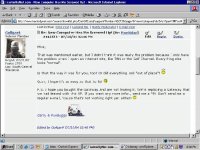
Mike,

That was mentioned earlier, but I didn't think it was really the problem because I only have the problem when I open an internet site, like TBN or the Golf Channel. Everything else looks "normal".

Is that the way it was for you, too? Or did everything look "out of place"? /forums/images/graemlins/confused.gif

Gosh, I hope it's as easy as that to fix! /forums/images/graemlins/tongue.gif

P.S. I hope you bought the Gateway and are not leasing it. We're replacing a Gateway that we had leased with this HP. If you want any more infor., send me a PM. Don't send me a regular e-mail, 'cause that's not working right yet either! /forums/images/graemlins/crazy.gif
 
/ New Computer Has Me Screwed Up! #53  
Windows 3.1 had it because I remember on the old "beast" it didn't have enough memory to display the colors! /forums/images/graemlins/shocked.gif /forums/images/graemlins/blush.gif It would only display black and whites. The old dinosaur had a whopping 500MB harddrive, 1 MB ram, both size floppy drives, and 16 MhZ. The old dinosaur had a turbo button that made it jump from 8 MhZ to 16 MhZ. /forums/images/graemlins/blush.gif Those were the days. /forums/images/graemlins/blush.gif /forums/images/graemlins/grin.gif
 
/ New Computer Has Me Screwed Up! #54  
</font><font color="blueclass=small">( Mike,

That was mentioned earlier, but I didn't think it was really the problem because I only have the problem when I open an internet site, like TBN or the Golf Channel. Everything else looks "normal".
)</font>

I wish I knew this last night (above note). Changing your screen settings will not alter the website pages. You say all the other programs are fine and full screen. Now you got me puzzled. Try clicking on the View tab top left. Then text size. Then click on 100%.
 
/ New Computer Has Me Screwed Up! #55  
Garry sorry I didn't see the earlier post as my screen was too small for alll my applications not just some of them.

We have always purchased from Gateway in the past.
 
/ New Computer Has Me Screwed Up! #56  
Garry,
IF I remember right, Muhammad said that it had something to do with the way the site is set up. Has something to do with using a larger screen maybe. I have had this same problem, sense going to a larger screen. Is your new screen larger?
 
/ New Computer Has Me Screwed Up! #57  
Garry,
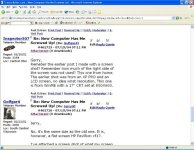
Remeber the earlier post I made with a screen shot? Remember how much of the right side of the screen was not used? This one from home. The earlier shot was from an XP PRO and an LCD screen, no idea what resolution. This one is from WinME with a 17" CRT set at 800X600.
 

Attachments

  • 462723-screenshot.jpg
    462723-screenshot.jpg
    83.8 KB · Views: 92
/ New Computer Has Me Screwed Up!
  • Thread Starter
#58  
Jerry,

No, it's the same size as the old one. It is, however, a flat screen HP Pavillion vf17.

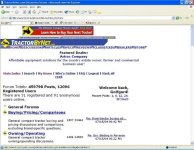
I've attached a screen shot of what my screen looks like. I guess it is pretty similar to some of the others that have been posted.

I've tried adjusting the monitor, but nothing seems to happen.
 

Attachments

  • 462726-Screen Shot.JPG
    462726-Screen Shot.JPG
    94.7 KB · Views: 158
/ New Computer Has Me Screwed Up!
  • Thread Starter
#59  
Here's another shot of the screen with our posts on it.
 

Attachments

  • 462732-Screen Shot2.JPG
    462732-Screen Shot2.JPG
    97.3 KB · Views: 106
/ New Computer Has Me Screwed Up! #60  
Garry,
The attachment you posted of the main index page screen was the same problem I was having when I posted this thread.
Are you using Direcway to connect to the internet by chance?
 

Marketplace Items

2024 Bintelli ActivEV Pulse Electric Cart (A59231)
2024 Bintelli...
UNUSED KJ K1119-11' X 19' ALL STEEL CARPORT (A60432)
UNUSED KJ...
2001 International 4000 DT 466E (A60462)
2001 International...
2007 Amkus Rescue System (A59228)
2007 Amkus Rescue...
2015 Ram 1500 4x4 Crew Cab Pickup Truck (A59230)
2015 Ram 1500 4x4...
iDrive TDS-2010H ProJack M2 Electric Trailer Dolly (A59228)
iDrive TDS-2010H...
 
Top