posting photos

   / posting photos #1  

ray_reilly

Member
Joined
May 25, 2005
Messages
37
Location
Central Florida
Tractor
YM 2000
how do I get file small enough to post /forums/images/graemlins/confused.gif
thanks
Ray
 
   / posting photos #3  
Easiest way is to re-size using the "paint" software installed in your computer.

Go to the "image" pull-down, and use the "stretch/skew" option to resize as a percentage (For example: 50% in both directions will shrink the picture to half size). Then re-save the picture and check the file size.
 
   / posting photos #4  
Any digital camera or scanner should come with software designed for that purpose.
 
   / posting photos #5  
<font color="blue"> ( Easiest way is to re-size using the "paint" software installed in your computer. ) </font>

Only if you like to view postage stamp sized pictures.

You need to use a program that can perform compression on the image, not just resizing -- that way you can keep a decent sized image (640x480 or greater) and have the filesize under the 100K limit.

Microsoft's Image Resizer is probably the easiest way to go for someone who does not have a decent photo editing package (e.g. Photoshop) and has no desire to muck around too much with their images.
 
   / posting photos #6  
Do you have to have your picture on the desk top for it to work?
 
   / posting photos
  • Thread Starter
#7  
Thanks everyone got it will play alittle more to improve quality
/forums/images/graemlins/grin.gif
 
   / posting photos #8  
<font color="blue"> ( Do you have to have your picture on the desk top for it to work? ) </font>

No, you just locate the photo in Windows Explorer and right-click. From that dropdown select Resize Pictures.
 
   / posting photos #9  
Thanks , this should be easy(even for me) I had been using paint to down size.The next time I post a picture I will try this.
 
   / posting photos #10  
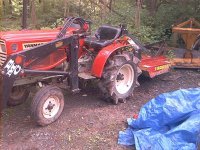
Just testing...
 

Attachments

  • 695048-IM000350.JPG
    695048-IM000350.JPG
    95.9 KB · Views: 224
   / posting photos #11  
Sometimes you can go to right click, resize and the picture is still a little over the 100K limit. When opening the dialogue box you can click cutom and tweak it to just under a 100K

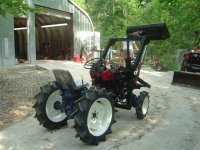
Test picture.

Mark
 

Attachments

  • 695094-1610D 096 (Small).jpg
    695094-1610D 096 (Small).jpg
    60.4 KB · Views: 135

Tractor & Equipment Auctions

2011 CATERPILLAR CP56 PADFOOT ROLLER (A60429)
2011 CATERPILLAR...
2012 TOP HAT TRAILER GOOSENECK FLATBED TRAILER (A58214)
2012 TOP HAT...
Kubota SVL75-2 (A57148)
Kubota SVL75-2...
2012 DOOSAN G25 GENERATOR (A58214)
2012 DOOSAN G25...
2012 TROXELL 130 BBL STEEL (A58214)
2012 TROXELL 130...
Crown RM6025-45 4,500 LB Stand-On Electric Forklift (A59228)
Crown RM6025-45...
 
Top