posting photos

   / posting photos #1  

ray_reilly

Member
Joined
May 25, 2005
Messages
37
Location
Central Florida
Tractor
YM 2000
how do I get file small enough to post /forums/images/graemlins/confused.gif
thanks
Ray
 
   / posting photos #3  
Easiest way is to re-size using the "paint" software installed in your computer.

Go to the "image" pull-down, and use the "stretch/skew" option to resize as a percentage (For example: 50% in both directions will shrink the picture to half size). Then re-save the picture and check the file size.
 
   / posting photos #4  
Any digital camera or scanner should come with software designed for that purpose.
 
   / posting photos #5  
<font color="blue"> ( Easiest way is to re-size using the "paint" software installed in your computer. ) </font>

Only if you like to view postage stamp sized pictures.

You need to use a program that can perform compression on the image, not just resizing -- that way you can keep a decent sized image (640x480 or greater) and have the filesize under the 100K limit.

Microsoft's Image Resizer is probably the easiest way to go for someone who does not have a decent photo editing package (e.g. Photoshop) and has no desire to muck around too much with their images.
 
   / posting photos #6  
Do you have to have your picture on the desk top for it to work?
 
   / posting photos
  • Thread Starter
#7  
Thanks everyone got it will play alittle more to improve quality
/forums/images/graemlins/grin.gif
 
   / posting photos #8  
<font color="blue"> ( Do you have to have your picture on the desk top for it to work? ) </font>

No, you just locate the photo in Windows Explorer and right-click. From that dropdown select Resize Pictures.
 
   / posting photos #9  
Thanks , this should be easy(even for me) I had been using paint to down size.The next time I post a picture I will try this.
 
   / posting photos #10  
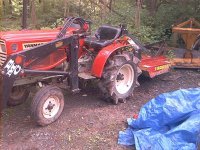
Just testing...
 

Attachments

  • 695048-IM000350.JPG
    695048-IM000350.JPG
    95.9 KB · Views: 224
   / posting photos #11  
Sometimes you can go to right click, resize and the picture is still a little over the 100K limit. When opening the dialogue box you can click cutom and tweak it to just under a 100K

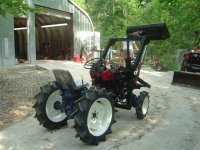
Test picture.

Mark
 

Attachments

  • 695094-1610D 096 (Small).jpg
    695094-1610D 096 (Small).jpg
    60.4 KB · Views: 135

Marketplace Items

2020 Ram 3500 4x4 Ext. Cab Pickup Truck (A59230)
2020 Ram 3500 4x4...
More info coming soon! (A56858)
More info coming...
2014 International WorkStar 7300 4x4 Altec AA55E 55ft. Material Handling Bucket Truck (A60460)
2014 International...
2019 JOHN DEERE 850L LGP CRAWLER DOZER (A60429)
2019 JOHN DEERE...
KIVEL 48" MINI PALLET FORKS (A60430)
KIVEL 48" MINI...
Caterpillar 928G Articulated Wheel Loader (A59228)
Caterpillar 928G...
 
Top