tallyho8
Super Member
- Joined
- Aug 1, 2004
- Messages
- 5,258
- Tractor
- Kubota L4400, Kubota ZD326
I rather post this computer question here than on a computer website because we have many computer experts on TBN and they usually give me a better answer in layman's terms that are easier for me to understand.
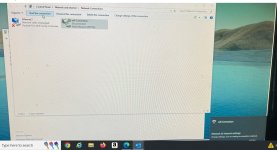
I am replacing an old computer for my wife and having problems with the new one I got which is a Dell with Windows 10. I had the old computer on wifi to my router because my router does not have another plug to plug it into. But I can not connect the new computer to wifi. I go to Settings, wifi, Show available networks, and none of my 3 available networks show up. Why would these networks not show up? Is there something wrong with this computer or is it just my lack of knowledge?
I am replacing an old computer for my wife and having problems with the new one I got which is a Dell with Windows 10. I had the old computer on wifi to my router because my router does not have another plug to plug it into. But I can not connect the new computer to wifi. I go to Settings, wifi, Show available networks, and none of my 3 available networks show up. Why would these networks not show up? Is there something wrong with this computer or is it just my lack of knowledge?