Preview Pop Up

/ Preview Pop Up #1  

milkman

Elite Member
Joined
Sep 22, 2001
Messages
3,625
Location
Ky. Between Dead Horse Holler and Yellowbank
Tractor
BX2200, BCS 735
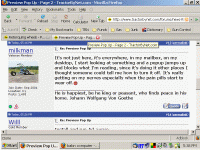
When I put my cursor over the title of a thread, or a user name, or any underlined topic, there is an annoying, to me, pop up with a short preview, or description of the content. Is this a feature of this site and if so is there a way for the individual user to turn it off, or do I have to find a way to turn it off on my individual OS. Thanks.
 
/ Preview Pop Up #2  
Thats a feature so you won't have to click on whole thread to read what it's about, just don't hover your cursor over title and it won't show up
I like it myself
Jim
:)
 
/ Preview Pop Up #4  
The pop up short review is annoying to me also. I visit several forum that have this feature enabled.

Randy
 
/ Preview Pop Up #5  
I like that feature myself, even though 99% of the time I just ignore it.:cool:
 
/ Preview Pop Up #7  
milkman said:
Can I turn off the annoying post preview here or in my operating system.

Not sure if an Admin can turn if off but members can not.
 
/ Preview Pop Up #8  
Funny, I read another forum that has this option turned off. I was thinking about starting a thread there to see if we could get it turned on. :) It saves me a lot of time -- particularly when the headline is vague.

I just went through all the options in the user control panel and didn't see one for the preview pop-up.
 
/ Preview Pop Up #9  
milkman said:
Can I turn off the annoying post preview here or in my operating system.
No, you can not.

In this thread alone, 3 like it, 2 do not. Seems a simple solution for those that don't like it to simply not hover their mouse where these previews appear.
 
/ Preview Pop Up #11  
I've never really paid much attention to it until this thread. One thing I have noticed is when using IE 6.0 is you get anywhere from a 3 to a 6 liner preview window. Using Firefox 2.0 you get a one liner preview.

You guys might try Firefox out to see if it's less annoying to you. I like Firefox better anyway.

Just a thought.
 
/ Preview Pop Up #12  
I don't find it annoying. So, 4 to 3 to leave things the way they are. 36,777 votes to go. Plus, whether people find it annoying isn't really the question. The issue is, is there a relatively simple way for them not to be annoyed. The answer to that question is 'Yes'.
 
/ Preview Pop Up
  • Thread Starter
#13  
It's not just here, it's everywhere, in my mailbox, on my desktop, I start looking at something and a popup jumps up and blocks what I'm reading, since it's doing it other places I thought someone could tell me how to turn it off. It's really getting on my nerves especially when the pain pills start to wear off.:mad:
 
/ Preview Pop Up
  • Thread Starter
#15  
/ Preview Pop Up #16  
milkman said:
It's not just here, it's everywhere, in my mailbox, on my desktop, I start looking at something and a popup jumps up and blocks what I'm reading, since it's doing it other places I thought someone could tell me how to turn it off. It's really getting on my nerves especially when the pain pills start to wear off.:mad:

Are you talking about this?

This.GIF
 
/ Preview Pop Up #17  
I like it myself. I use it to determine if I want to read a new post or to remind me of one I already read.
 
/ Preview Pop Up #18  
Another vote "for"--They also help remind me what a thread is about and if I've already read it. Maybe it's an age thing--at my age I need all the help I can get......Regards, Mike
 
/ Preview Pop Up #19  
milkman said:
It's not just here, it's everywhere, in my mailbox, on my desktop, I start looking at something and a popup jumps up and blocks what I'm reading, since it's doing it other places I thought someone could tell me how to turn it off. It's really getting on my nerves especially when the pain pills start to wear off.:mad:
If it's doing it other places than on TBN, then it's got nothing to do with this site. Sounds like you have a virus infection.
 
/ Preview Pop Up
  • Thread Starter
#20  
Finally found the fix for the popup preview every where else.


'Tis easy to turn off the pop-up balloons in XP:

  • 1. Goto Control Panel
    2. Click Folder Options (in the classic view)
    3. Click the View tab
    4. Unselect the Show pop-up description for folder and desktop items option
    5. Click OK
 

Marketplace Items

2019 Ford F450 Extra Cab 4x4 Service Crane (A62613)
2019 Ford F450...
2017 CATERPILLAR 980M WHEEL LOADER (A64279)
2017 CATERPILLAR...
2019 CATERPILLAR CP54B PADFOOT ROLLER (A62129)
2019 CATERPILLAR...
2019 BOBCAT E45 EXCAVATOR (A63276)
2019 BOBCAT E45...
2005 Anderson 24ft T/A Dovetail Tag Trailer (A61573)
2005 Anderson 24ft...
Bandit 250XP Wood Chipper (A63689)
Bandit 250XP Wood...
 
Top