Preview Pop Up

/ Preview Pop Up #1  

milkman

Elite Member
Joined
Sep 22, 2001
Messages
3,625
Location
Ky. Between Dead Horse Holler and Yellowbank
Tractor
BX2200, BCS 735
When I put my cursor over the title of a thread, or a user name, or any underlined topic, there is an annoying, to me, pop up with a short preview, or description of the content. Is this a feature of this site and if so is there a way for the individual user to turn it off, or do I have to find a way to turn it off on my individual OS. Thanks.
 
/ Preview Pop Up #2  
Thats a feature so you won't have to click on whole thread to read what it's about, just don't hover your cursor over title and it won't show up
I like it myself
Jim
:)
 
/ Preview Pop Up #4  
The pop up short review is annoying to me also. I visit several forum that have this feature enabled.

Randy
 
/ Preview Pop Up #5  
I like that feature myself, even though 99% of the time I just ignore it.:cool:
 
/ Preview Pop Up #7  
milkman said:
Can I turn off the annoying post preview here or in my operating system.

Not sure if an Admin can turn if off but members can not.
 
/ Preview Pop Up #8  
Funny, I read another forum that has this option turned off. I was thinking about starting a thread there to see if we could get it turned on. :) It saves me a lot of time -- particularly when the headline is vague.

I just went through all the options in the user control panel and didn't see one for the preview pop-up.
 
/ Preview Pop Up #9  
milkman said:
Can I turn off the annoying post preview here or in my operating system.
No, you can not.

In this thread alone, 3 like it, 2 do not. Seems a simple solution for those that don't like it to simply not hover their mouse where these previews appear.
 
/ Preview Pop Up #11  
I've never really paid much attention to it until this thread. One thing I have noticed is when using IE 6.0 is you get anywhere from a 3 to a 6 liner preview window. Using Firefox 2.0 you get a one liner preview.

You guys might try Firefox out to see if it's less annoying to you. I like Firefox better anyway.

Just a thought.
 
/ Preview Pop Up #12  
I don't find it annoying. So, 4 to 3 to leave things the way they are. 36,777 votes to go. Plus, whether people find it annoying isn't really the question. The issue is, is there a relatively simple way for them not to be annoyed. The answer to that question is 'Yes'.
 
/ Preview Pop Up
  • Thread Starter
#13  
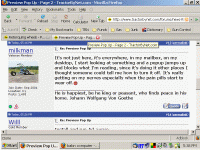
It's not just here, it's everywhere, in my mailbox, on my desktop, I start looking at something and a popup jumps up and blocks what I'm reading, since it's doing it other places I thought someone could tell me how to turn it off. It's really getting on my nerves especially when the pain pills start to wear off.:mad:
 
/ Preview Pop Up
  • Thread Starter
#15  
/ Preview Pop Up #16  
milkman said:
It's not just here, it's everywhere, in my mailbox, on my desktop, I start looking at something and a popup jumps up and blocks what I'm reading, since it's doing it other places I thought someone could tell me how to turn it off. It's really getting on my nerves especially when the pain pills start to wear off.:mad:

Are you talking about this?

This.GIF
 
/ Preview Pop Up #17  
I like it myself. I use it to determine if I want to read a new post or to remind me of one I already read.
 
/ Preview Pop Up #18  
Another vote "for"--They also help remind me what a thread is about and if I've already read it. Maybe it's an age thing--at my age I need all the help I can get......Regards, Mike
 
/ Preview Pop Up #19  
milkman said:
It's not just here, it's everywhere, in my mailbox, on my desktop, I start looking at something and a popup jumps up and blocks what I'm reading, since it's doing it other places I thought someone could tell me how to turn it off. It's really getting on my nerves especially when the pain pills start to wear off.:mad:
If it's doing it other places than on TBN, then it's got nothing to do with this site. Sounds like you have a virus infection.
 
/ Preview Pop Up
  • Thread Starter
#20  
Finally found the fix for the popup preview every where else.


'Tis easy to turn off the pop-up balloons in XP:

  • 1. Goto Control Panel
    2. Click Folder Options (in the classic view)
    3. Click the View tab
    4. Unselect the Show pop-up description for folder and desktop items option
    5. Click OK
 

Marketplace Items

2016 26ft T/A Dovetail Flatbed Equipment Trailer (A59228)
2016 26ft T/A...
2014 Ford Escape 4WD SUV (A61574)
2014 Ford Escape...
2011 Autocar ACX64 Xpeditor coe t/a refuse (A62679)
2011 Autocar ACX64...
2018 FREIGHTLINER CASCADIA  125 6X4 T/A SLEEPER TRUCK TRACTOR (A59912)
2018 FREIGHTLINER...
2020 Peterbilt 579 T/A Sleeper Cab Truck Tractor (A61573)
2020 Peterbilt 579...
2021 Gehl RT215 Track Loader with 74in Smooth Bucket (A63689)
2021 Gehl RT215...
 
Top