"Show Images" option doesn't seem to work

   / "Show Images" option doesn't seem to work
  • Thread Starter
#11  
I just noticed the wording in the options page:

"Show Images (including attached images and images in code)"

So it seems that all images are supposed to be visible when "Show Images" is checked. Something seems to not be working correctly.

Thanks,
Monte
 
   / "Show Images" option doesn't seem to work #12  
There is a bug with this feature and we will hopefully have it fixed soon. :)

By soon, I mean within 2-3 weeks.
 
   / "Show Images" option doesn't seem to work
  • Thread Starter
#13  
Muhammad said:
There is a bug with this feature and we will hopefully have it fixed soon. :)

By soon, I mean within 2-3 weeks.

Thanks Muhammad, I appreciate it.
Monte
 
   / "Show Images" option doesn't seem to work
  • Thread Starter
#14  
Muhammad said:
There is a bug with this feature and we will hopefully have it fixed soon. :)

By soon, I mean within 2-3 weeks.

Hope things are going well on this bug.
 
   / "Show Images" option doesn't seem to work
  • Thread Starter
#15  
Muhammad said:
There is a bug with this feature and we will hopefully have it fixed soon. :)

By soon, I mean within 2-3 weeks.

Checking again. Still doesn't work, would be nice to get this fixed. Thanks.
 
   / "Show Images" option doesn't seem to work #16  
Is this bug still trying to be fixed? It sure would be nice if it was. :D
 
   / "Show Images" option doesn't seem to work #17  
Thanks, Muhammad; I was wondering about this too. It sure is better if we can see the images in the posts. Other forums have it this way, and TBN's site could use some help in that area. I did notice in one of the trailer threads that someone was able to show his photos in his post.

Thanks again for listening to this request...
 
   / "Show Images" option doesn't seem to work #18  
Showing images in a post is no big deal. If people want them that way all they have to do is post it correctly.
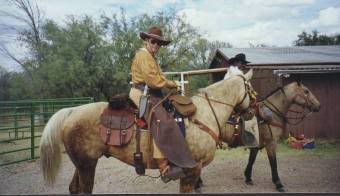
sue0002.jpg
 
   / "Show Images" option doesn't seem to work
  • Thread Starter
#19  
Jimbrown said:
Showing images in a post is no big deal. If people want them that way all they have to do is post it correctly.
sue0002.jpg
Yes, it would be easy IF everyone took the time to use the 'img' '/img' tags, but they don't, and I wouldn't expect them too. Plus, they shouldn't have to. If the forum software was working correctly, they don't have to.

To say that some posters aren't posting images correctly is actually false, the forum software isn't working correctly is the problem.

And to be sure, I still am hoping that this gets fixed!
 
   / "Show Images" option doesn't seem to work #20  
montejw said:
Yes, it would be easy IF everyone took the time to use the 'img' '/img' tags, but they don't, and I wouldn't expect them too. Plus, they shouldn't have to. If the forum software was working correctly, they don't have to.

To say that some posters aren't posting images correctly is actually false, the forum software isn't working correctly is the problem.

And to be sure, I still am hoping that this gets fixed!

I agree. I put the clickable thumbnails in from photobucket and they do take a lot longer to do. They are also quite confusing to do to begin with.

It would be nice if the photos showed up. However, people often make them big and then they take ages to download and they make reading the rest of the thread difficult.

With Mozilla Firefox I just middle click on the pictures before I start reading and they open up in a new window :)
 

Tractor & Equipment Auctions

2015 Ford F-350 4x4 Service Truck (A59230)
2015 Ford F-350...
2004 JOHN DEERE 160C LC EXCAVATOR (A59823)
2004 JOHN DEERE...
Club Car Utility Cart (A59228)
Club Car Utility...
Box of Transport Ratchet Straps (A59230)
Box of Transport...
UNUSED FUTURE FT20 EXCAVATOR (A52706)
UNUSED FUTURE FT20...
Forklift (A59228)
Forklift (A59228)
 
Top