Starlink

   / Starlink #2,862  
During times of peak network congestion,
a term which is not defined.

Hopeful users who are buying in will hope to anticipate slower speeds maybe during daytime, or at worst 4-7pm local. But it opens the door that "peak congestion" could be something as ridiculous as 22 hrs/day except btwn 2-4am. Probably not, but the speeds have slowed a *lot* lately. Including my speed at 4am.

Peter and I have residential systems, which are not de-prioritized, yet we have both recently seen speeds down to 6mb. How is a de-prioritized user going to fare when "regular" users are at 6mb? Not sure.

The irony is ... the more successful this marketing angle is ... the faster the growth and expansion of what "peak congestion" hours really means. And it seems we are in a world where every new user coming on line has the potential to slow others down. Maybe that will change in the future as more satellites come on line.
 
Last edited:
   / Starlink #2,863  
Just read somewhere (Reddit) that there are hundreds of satellites already launched in the process of being repositioned which would add significant capacity over next couple of months.

 
   / Starlink #2,864  
Just read somewhere (Reddit) that there are hundreds of satellites already launched in the process of being repositioned which would add significant capacity over next couple of months.
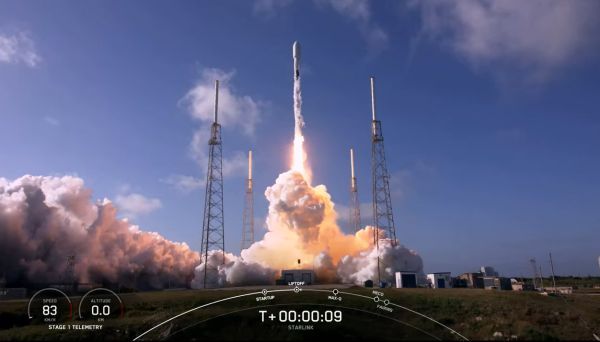
It is a continuous process with Starlink. They launch fifty or so at a time and the satellites take 3-5 months to move to their final orbits and heights. The initial launch orbits are quite low so defective satellites will de-orbit quickly.

Starlink orbits trains of seventy two or so satellites in a single inclination to the poles, and at varying spaces around the earth, and at slightly different altitudes. So, Starlink can't turn on a satellite at a time, they need to turn on a whole train, and that only happens when the satellites are all up, and evenly spaced, which takes months. Some orbits are SW/NE, and some are NW/SE, crisscrossing to give coverage at each "cell" on earth. There is a shell to cover the poles.

You can see an animation of the current satellites here;
The lines of closely spaced satellites are just launched trains slowly raising their altitudes.

To add capacity, you need to think in terms of whole orbital groups of 1440(ish). Once all 1440 are in orbit, they provide global coverage, and you can turn them on to add capacity.
Here are the current shells;
  • First shell: 1,440 in a 550 km (341.8 mi) altitude shell at 53.0° inclination
  • Second shell: 1,440 in a 540 km (335.5 mi) shell at 53.2° inclination
  • Third shell: 720 in a 570 km (354.2 mi) shell at 70° inclination
  • Fourth shell: 336 in a 560 km (348.0 mi) shell at 97.6° inclination
  • Fifth shell: 172 satellites in a 560 km (348.0 mi) shell at 97.6° inclination
 
   / Starlink #2,866  
That's difficult to answer. Because any speed test is only a test of the connection speed on the specific path between your system and the one particular endpoint of the speed test site. And there is nothing to base "is it accurate" on except a comparison to your own testing against that same exact test site and endpoint server over time.

My suggestion is to pick one speed test site that you like and stick with it. Always choose the same endpoint (usually listed as a city name). Then keep track of your speeds over time. The actually number doesn't really mean a lot, but the variance from your average test result is what is insightful.

Just be aware that there are TONS of variables that impact connection speeds. You're on a shared network on your ISP (Starlink) and your ISP routes you to the Internet which is also a shared system. Time of day, day of week, events happening in your area or across the country at the time can all be impactors.
Thanks. I use a nearby university IT department (75 miles) server as a test site for StarLink thinking it may be independent vs. some ISP provider. Dunno.
E417E364-B76F-41E5-B8F3-2D5D874A9776.jpg
 
   / Starlink #2,867  
Not sure I'd want to climb my roof every time we head out in the rv.

It will soon get replaced with the “best effort” system that shipped. It’s not hard to get to with a ladder.

I think they have more dishes sitting around they want to sell while the service catches up, hence “best effort”.

My RV unit is on a separate account than the home unit, so I foresee some installation problems. I hope it’s easy to move the mesh unit over.
 
   / Starlink #2,869  
My RV unit is on a separate account than the home unit, so I foresee some installation problems.
If you can, I suggest using a different phone to set up the 2nd unit. Then keep track of which phone is "paired" with which SL system. (Even though they are not supposed to do that ....)

Might be a smoother experience. :D
 
   / Starlink #2,870  
I have been reading thru everything I could find online about the kit to try to source the things I will need to mount it on the roof. Such as, what is the length of the cable that comes in the kit? 75 feet? and what about the power cable. I was originally planning on putting a pole out in front of the house, but that would require a trench across the drive, I don't think I could do it with only 150 feet distance.
I am going to use the S-5 standing seam mount kit. I am sure there will be some other pieces I have to buy. not sure if the pivot mount is what I need to attach it to the roof mount kit.
 
   / Starlink #2,871  
I have been reading thru everything I could find online about the kit to try to source the things I will need to mount it on the roof. Such as, what is the length of the cable that comes in the kit? 75 feet? and what about the power cable. I was originally planning on putting a pole out in front of the house, but that would require a trench across the drive, I don't think I could do it with only 150 feet distance.
I am going to use the S-5 standing seam mount kit. I am sure there will be some other pieces I have to buy. not sure if the pivot mount is what I need to attach it to the roof mount kit.
The supplied cabled is 75' and an optional cable is twice that. The power to the antenna is via the same cable.
 
   / Starlink #2,872  

Just another proof of my thoughts.
They say lack of infrastructure and system capacity but turn around and put more drain on the system.
Instead of taking care of the customers that have put down deposits they go and sell what they dont have to another group.
 
   / Starlink #2,873  
They say lack of infrastructure and system capacity but turn around and put more drain on the system.
That seems to describe current circumstances with rolling out the "RV" and "best effort" systems. Many see the "RV" systems as a thinly disguised circumventing of the waitlists for residential systems. Once the "best effort" system was advertised it seemed to entirely remove that thin disguise.

But there are aspects we don't know as well. Peter recently pointed out the delay of already-launched SL satellites to settle into final orbits and come on line. So if there are sats about to "wake up" soon, are we only in a short term blip between demand and capacity, or is it something more than that? And just how soon before the next gaggle of SL sats goes up? I don't know ....

The final chapter on SL is not yet written. I do predict short term difficulties, future price increases, and likely tying price paid with performance received in the future. But in the meantime-- the SL system is WAY better than what I used to have.
 
   / Starlink #2,874  
I have been reading thru everything I could find online about the kit to try to source the things I will need to mount it on the roof. Such as, what is the length of the cable that comes in the kit? 75 feet? and what about the power cable. I was originally planning on putting a pole out in front of the house, but that would require a trench across the drive, I don't think I could do it with only 150 feet distance.
I am going to use the S-5 standing seam mount kit. I am sure there will be some other pieces I have to buy. not sure if the pivot mount is what I need to attach it to the roof mount kit.

I used a regular cheap bracket from Amazon, and the starlink pipe adapter, the antenna pipe locks right into their adapter.
IMG_5942.JPG

Here is the 150 ft cable. It’s the only cable from router to antenna.
IMG_5941.JPG

The end I’m holding goes into antenna inside it’s pipe.
 
   / Starlink #2,875  
I looked, and was unable to find, a financial article that discussed the recent FCC decision to cancel the $900M Starlink contract, and the impact it would have on the company. Lots of conjecture, but my take away is that Musk is plowing every cent of revenue into building the satellite constellation, and the FCC loss will slow that effort. To compensate somewhat, they're coming up with the new subscription plans to eek every last penny out of the market so they can continue the build out.

Here with the original residential service, I rarely see 100 Mbps down (right now it's 30), but that's still five or six times better than I had with HughesNet and most streaming services are still useable. As long as it continues that way I'll happily pay the subscription fee. I can only hope that the promises of improved performance do materialize, and like the wait for the service itself, just have to be patient and ride the horse in the direction it's already goin'.
 
   / Starlink #2,876  
There are two power cables; one that plugs into the wall and the router 6'-ish, and one from the router supplying power to the dish (75-150').

Does that help?

All the best,

Peter
 
   / Starlink #2,878  
There are two power cables; one that plugs into the wall and the router 6'-ish, and one from the router supplying power to the dish (75-150').

Does that help?

All the best,

Peter

Yes thank you. Since I am still building my house I want to put a power outlet close to where I plan to put the modem. I need to get out the long cloth tape and see if 75 feet will get me neatly where I want it.
 
   / Starlink #2,879  
@WoodChuckDad Always good to plan ahead...

FWIW: I ended up putting our Starlink router in an ABS enclosure with a fan in a location that would provide good backup WiFi, if my primary router and WiFi system were ever to fail. That did necessitate putting an outlet nearby, as the Starlink router has a proprietary IEC power connector with a seal built into it which wasn't readily available...

All the best,

Peter
 
   / Starlink #2,880  
 

Tractor & Equipment Auctions

2023 Unverferth 3PT 10 FT Perfecta Field Cultivator (A56438)
2023 Unverferth...
2020 Deere 544L (A60462)
2020 Deere 544L...
SCAN TO RECEIVE TEXT UPDATES (A60429)
SCAN TO RECEIVE...
BOX BLADE (A58214)
BOX BLADE (A58214)
Bobcat 863 Compact Wheel Loader Skid Steer (A59228)
Bobcat 863 Compact...
UNUSED FUTURE 12" HYD AUGER (A52706)
UNUSED FUTURE 12"...
 
Top