Sometimes a hand drawn picture or diagram in a post would help. I was messing around trying to get a picture from MS paint to attach in the message and would get the message "The files you may upload must have the following extension .zip.....etc." I'm not sure what that means. Soooooo..Can I do this, and if I can, How?
You are using an out of date browser. It may not display this or other websites correctly.
You should upgrade or use an alternative browser.
You should upgrade or use an alternative browser.
Little help please
- Thread starter kubmech
- Start date
- Views: 2612
More options
Who Replied?
/ Little help please
#1
MChalkley
Elite Member
- Joined
- Mar 27, 2000
- Messages
- 3,198
- Location
- Eastern Virginia
- Tractor
- EarthForce EF-5 mini-TLB (2001)
Kubmech - With the file you want to upload open in Paint, choose Save As from the File menu, then pick file type JPEG from the list. Then upload the file with the .jpg extension.
MarkC

MarkC
MChalkley
Elite Member
- Joined
- Mar 27, 2000
- Messages
- 3,198
- Location
- Eastern Virginia
- Tractor
- EarthForce EF-5 mini-TLB (2001)
File size is limited to 200k, so it sounds like you need to do something to reduce the size or resolution of the file. If you don't have a program that can do this, email me the file at 'mchalkley@attglobal.net' and I'll fix it and email it back to you. I'll be on-line a while yet...
MarkC
MarkC
Anonymous Poster
Epic Contributor
- Joined
- Sep 27, 2005
- Messages
- 29,678
Use your software and reduce the file size to under 200K...
All attachments must be under 200k per Muhammad's rules.

All attachments must be under 200k per Muhammad's rules.
MChalkley
Elite Member
- Joined
- Mar 27, 2000
- Messages
- 3,198
- Location
- Eastern Virginia
- Tractor
- EarthForce EF-5 mini-TLB (2001)
Well, it shouldn't be, but you can check the file size in Windows Explorer. The .bmp file could easily exceed 200k, but the .jpg file shouldn't be that big.
MarkC
MarkC
This is what I did, cut image from paint, then pasted in word and saved as web page. Which reduced the file size considerably. I don't seem to have the jpeg option to select in word or paint, tried power point as well. When I browse at the post attachment, I select the file to attach, then choose .jpeg which I'm pretty sure doesn't make a difference.
This is what happens................
(if I need to install specific software in order to do this operation what would it be?)
This is what happens................
(if I need to install specific software in order to do this operation what would it be?)
Kubmech,
You are going about this in the wrong way.
You need only to work with a graphic image, and not put into Word or HTML or anything else.
JPG (which stands for JPEG = Joint Photographic Experts Group) is an image file format, often preferred on the web for its small size and fidelity to image color and definition.
I do not use the MS image program, but I can't imagine it doesn't not have the option to save in .jpg format.
You can get a copy of Irfan Viewer, totally free and a first class image program. It also can save in many types of file formats.
Get http://www.irfanview.com/english.htm, install it, and then load your graphic into that program. Then from there you can save as JPG and afterwards upload.
Hope this helps.
BobT.
A Indiana Boy
You are going about this in the wrong way.
You need only to work with a graphic image, and not put into Word or HTML or anything else.
JPG (which stands for JPEG = Joint Photographic Experts Group) is an image file format, often preferred on the web for its small size and fidelity to image color and definition.
I do not use the MS image program, but I can't imagine it doesn't not have the option to save in .jpg format.
You can get a copy of Irfan Viewer, totally free and a first class image program. It also can save in many types of file formats.
Get http://www.irfanview.com/english.htm, install it, and then load your graphic into that program. Then from there you can save as JPG and afterwards upload.
Hope this helps.
BobT.
A Indiana Boy
The version of MS-paint on my PC (came with Windows NT 4.0) does not allow you to save in the *.jpg format. It does give a number of options for different types of bitmap files. I did a simple test scribble of lines, then saved it as both a 16-color bitmap and a monochrome bitmap. The 16-color file was 253K, just over the 200K TBN limit. The monochrome file was 58K, so it seems like this would be the way to go if using MS-Paint and simple sketches without color. This is probably all academic if you can pick up the program that BobT had mentioned.
Wheeldog,
Good points. Paint is the wrong program to use for maniupulating these kinds of images. Irfan View will do a lot more for him besides saving as JPG. I hope he can get it installed.
A JPG file of the word "test" should not be more than 2-3K, not 200K...
BobT.
A Indiana Boy
Good points. Paint is the wrong program to use for maniupulating these kinds of images. Irfan View will do a lot more for him besides saving as JPG. I hope he can get it installed.
A JPG file of the word "test" should not be more than 2-3K, not 200K...
BobT.
A Indiana Boy
Harv
Elite Member
- Joined
- Aug 22, 2000
- Messages
- 3,346
- Tractor
- Kubota L2500DT Standard Transmission
We have had raging discussions about this in the past, and I have always managed to add to the confusion. So why should this time be any different? /w3tcompact/icons/smile.gif
<font color=blue>don't forget to reduce the resolution size to 72 pixels.</font color=blue>
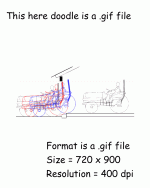
Fact is, the resolution doesn't matter 'cuz your browser ignores that little tidbit of information. What does matter is the overall dimensions of your image (in pixels). The attached file demonstrates what I mean. It's actual file size is 24,934 bytes.
If you're dealing with line drawings, I would also consider the .gif file format. We are all agreed that .jpg is the best for photographic images, and does pretty well on line drawings, but the ability to reduce your color depth on a .gif sometimes gives it the edge. The attachment here was reduced to 16 colors.
I am mostly a Macintosh weenie, so I can't advise on Windows software. I also tend to use the high-priced Adobe Photoshop, but there is a lite version of the program available that is amazingly full-bodied in its capabilites. It is frequently bundled with scanners and such when you buy them. Ask around and I'm sure you can find somebody who has a copy you can, uh..... evaluate. /w3tcompact/icons/wink.gif

<font color=blue>don't forget to reduce the resolution size to 72 pixels.</font color=blue>
Fact is, the resolution doesn't matter 'cuz your browser ignores that little tidbit of information. What does matter is the overall dimensions of your image (in pixels). The attached file demonstrates what I mean. It's actual file size is 24,934 bytes.
If you're dealing with line drawings, I would also consider the .gif file format. We are all agreed that .jpg is the best for photographic images, and does pretty well on line drawings, but the ability to reduce your color depth on a .gif sometimes gives it the edge. The attachment here was reduced to 16 colors.
I am mostly a Macintosh weenie, so I can't advise on Windows software. I also tend to use the high-priced Adobe Photoshop, but there is a lite version of the program available that is amazingly full-bodied in its capabilites. It is frequently bundled with scanners and such when you buy them. Ask around and I'm sure you can find somebody who has a copy you can, uh..... evaluate. /w3tcompact/icons/wink.gif
Attachments

Harv,
Problem is, if you ignore resolution, whether it be dpi or ppi, you're not going to wind up with an optimum image for web use. On your image, it's 72 ppi, 720x900 pixels. Maybe the program you used had a dpi setting or something, but it's just a standard 72 ppi GIF. If you increase that to, say, 288ppi, you would need to reduce the physical image size to 180 pixels, otherwise it would be in fact 2880 pixels wide, instead of 720. So sure, you can not pay attention to your ppi resolution and just set the image size, if you're using a GIF format, but then in JPG, the image quality (some programs will have that as a dpi setting) is going to be the difference between a large file size or a small file size.
Best method if, say, you're scanning an image, is to scan it at 75 dpi (or 150-600 dpi if you're going to use another program to resize it) and then save it from there as a JPG if a photo, or a GIF if a line drawing. On the GIF's, a 150 dpi scan would probably make more sense.
The scanning program's I've used, don't usually have pixels/inch settings, so basically the file you open will either be very large in physical size, or large in pixels/inch resolution. /w3tcompact/icons/wink.gif

Problem is, if you ignore resolution, whether it be dpi or ppi, you're not going to wind up with an optimum image for web use. On your image, it's 72 ppi, 720x900 pixels. Maybe the program you used had a dpi setting or something, but it's just a standard 72 ppi GIF. If you increase that to, say, 288ppi, you would need to reduce the physical image size to 180 pixels, otherwise it would be in fact 2880 pixels wide, instead of 720. So sure, you can not pay attention to your ppi resolution and just set the image size, if you're using a GIF format, but then in JPG, the image quality (some programs will have that as a dpi setting) is going to be the difference between a large file size or a small file size.
Best method if, say, you're scanning an image, is to scan it at 75 dpi (or 150-600 dpi if you're going to use another program to resize it) and then save it from there as a JPG if a photo, or a GIF if a line drawing. On the GIF's, a 150 dpi scan would probably make more sense.
The scanning program's I've used, don't usually have pixels/inch settings, so basically the file you open will either be very large in physical size, or large in pixels/inch resolution. /w3tcompact/icons/wink.gif
Harv,
Ah yes, I recall the spate of past irrational rantings on images /w3tcompact/icons/smile.gif.
Here's a little "experiment" for you Harv:
1) Save your file with print resolution 72 pixels per inch (You already did this. Note file size: it is 24K).
2) Change the print size resolution to 400 pixels PI. Save. File size will be around 240K, about TEN TIMES as large.
Point: while your browser will present the two images as virtually identical, Muhammad's image spy will BLOCK the second image as being too large.
Your point about Gif's is duly noted. However, generally speaking, most folks here on TBN should stick with JPG, IMO.
BobT.
A Indiana Boy
Ah yes, I recall the spate of past irrational rantings on images /w3tcompact/icons/smile.gif.
Here's a little "experiment" for you Harv:
1) Save your file with print resolution 72 pixels per inch (You already did this. Note file size: it is 24K).
2) Change the print size resolution to 400 pixels PI. Save. File size will be around 240K, about TEN TIMES as large.
Point: while your browser will present the two images as virtually identical, Muhammad's image spy will BLOCK the second image as being too large.
Your point about Gif's is duly noted. However, generally speaking, most folks here on TBN should stick with JPG, IMO.
BobT.
A Indiana Boy
MChalkley
Elite Member
- Joined
- Mar 27, 2000
- Messages
- 3,198
- Location
- Eastern Virginia
- Tractor
- EarthForce EF-5 mini-TLB (2001)
Hmmm, I didn't know that. The version of MS Paint on my computer does allow saving in JPEG format, but I'm not sure if it's the one that came with Win98 (the original OS) or Win2000 Pro (my current OS).
MarkC
MarkC
Marc,
MS Paint has never been a very good image program. You are right that the NT version (for reasons I cannot fathom) only handles bitmap images (BMP extension). Windows 2000 Pro OS version of MS Paint DOES handle JPG; I suppose maybe MS licensed the technology from somebody.
As I noted above, Irfan View is a very capable and completely free image manager. The industry heavy duty standard graphgics program is Adobe Photoshop, probably way too powerful and complex for the average user, not to mention it costs around $800. The el-cheapo knock-off of Photoshop is called Paint Shop Pro. About $100 and a very capable professional program. See it at http://www.jasc.com/product.asp?pf_id=001.
BobT.
A Indiana Boy
MS Paint has never been a very good image program. You are right that the NT version (for reasons I cannot fathom) only handles bitmap images (BMP extension). Windows 2000 Pro OS version of MS Paint DOES handle JPG; I suppose maybe MS licensed the technology from somebody.
As I noted above, Irfan View is a very capable and completely free image manager. The industry heavy duty standard graphgics program is Adobe Photoshop, probably way too powerful and complex for the average user, not to mention it costs around $800. The el-cheapo knock-off of Photoshop is called Paint Shop Pro. About $100 and a very capable professional program. See it at http://www.jasc.com/product.asp?pf_id=001.
BobT.
A Indiana Boy
MChalkley
Elite Member
- Joined
- Mar 27, 2000
- Messages
- 3,198
- Location
- Eastern Virginia
- Tractor
- EarthForce EF-5 mini-TLB (2001)
BobT - I use IrfanView myself. In fact, the picture of the prototype TiltMeter I just posted in the Photos section was 1,122k in size, and 1600 x 1200, when I downloaded it from my camera (in JPEG format), but with one single Resample and Save As, it's 800 x 600, and 87k. Not bad for free.
MarkC
MarkC


