Starlink

/ Starlink #1,121  
Did some additional checking and found a couple of things:

- according to one user, Starlink *does* use carrier grade NAT (ugh),
- "Idle ssh connections drop after 10 minutes, but put even modest traffic on them and they last hours."

Carrier grade NAT is great for the ISP, not so great for the user.

Unless someone advises otherwise, I presume a remote connection (from an off-site location) to a Starlink site will be difficult, with the obstacle of keeping it alive once established. (10 minute expiration.)

I solved that with HughesNet by having both sites (local and remote) remain connected to a middle layer product. But I presume that an internet addressable static IP with Starlink is a "no", and having a dynamic dns product work is also a "no." The good news is my same HughesNet/kluge setup will work much faster! :unsure:

 
/ Starlink #1,122  
If you can get an order now that comes out at $499, you can have service now. If it says $99, that is a preorder, and it will say at the top of the page when they are projecting to service your area.

So, are you lucky, or not? :)

All the best,

Peter
Well, I don't plan on ordering immediately. Our Cricket wireless just increased from 40 to 100 gb per month for $55 +tax. We streamed an "HD" movie on it last night with no problems. I'm just weighing my options. Cricket is relatively slow but usable and now with 100 gb covers most of our needs. Xbox game downloading and updating would be much nicer on Starlink. Starlink.com keeps telling me my session has expired when I hit the order button but it looks like they would be charging me the full amount so I guess it's available.

Kevin
 
/ Starlink #1,123  
LoL....you only need 8 or 9 MB to stream just about any of the streaming services...even on multiple devices...

What in the world do people think they need all that bandwidth for ?...I understand about moving large files and large amounts of data...but for the average user 25mb should be more than enough bandwidth for typical Internet use...
I'd be pretty happy with 8 or 9 MB. I only average 1Mb.
 
/ Starlink #1,124  
for the average user 25mb should be more than enough bandwidth for typical Internet use...
Suppose you own a 2nd property (or business) and want remote surveillance cameras.

Add 1 camera pointed in each direction (4 total,) 1 camera for an outbuilding, 1 more for something else. 6 cameras total. Typical off-the-shelf 4k cameras.

Since 4k cameras suck up bandwidth, you apply countermeasures: a) H.264 video compression to slash bandwidth, b) you cut the frame rate in half down to 15 frames per second from 30. So when someone walks through your camera picture, it will jitter and stutter a little as they go by. But you are OK with that since it will greatly reduce bandwidth.

To remotely view a live 6-camera display of your cameras, with those reductions, you need 50.3mbps.

Anyone else in your household who is streaming a movie isn't going to like your new cameras! ;)

 
/ Starlink #1,125  
Suppose you own a 2nd property (or business) and want remote surveillance cameras.

Add 1 camera pointed in each direction (4 total,) 1 camera for an outbuilding, 1 more for something else. 6 cameras total. Typical off-the-shelf 4k cameras.

Since 4k cameras suck up bandwidth, you apply countermeasures: a) H.264 video compression to slash bandwidth, b) you cut the frame rate in half down to 15 frames per second from 30. So when someone walks through your camera picture, it will jitter and stutter a little as they go by. But you are OK with that since it will greatly reduce bandwidth.

To remotely view a live 6-camera display of your cameras, with those reductions, you need 50.3mbps.

Anyone else in your household who is streaming a movie isn't going to like your new cameras! ;)


I would bet that very few residential users have 4k security cams...4k cams cost 10-20 times as much as standard HD cams...
 
/ Starlink #1,126  
I would jump on any fiber.
Funny that. I had fiber through Verizon outside Boston. Technically, it was flawless. However Verizon, being part of the evil Verizon/Comcast duopoly in the region, would just jack up prices every couple of years by large amounts. 18% one year. Just because the could, it isn't like my already flawless service improved.

I got so sick of it I ended up switching to non-fiber Comcast, and I loathe Comcast. but they've been a tiny bit better on price gouging.

More monopolies that need a kick in the nuts.

Meanwhile, in Vermont (so neither verizon nor comcast near boston) I have 8 down and .9 up on flaky dsl. It costs at least $55 a month. Starlink looks real good but I'm not rushing.
 
/ Starlink #1,127  
4k cams cost 10-20 times as much as standard HD cams...
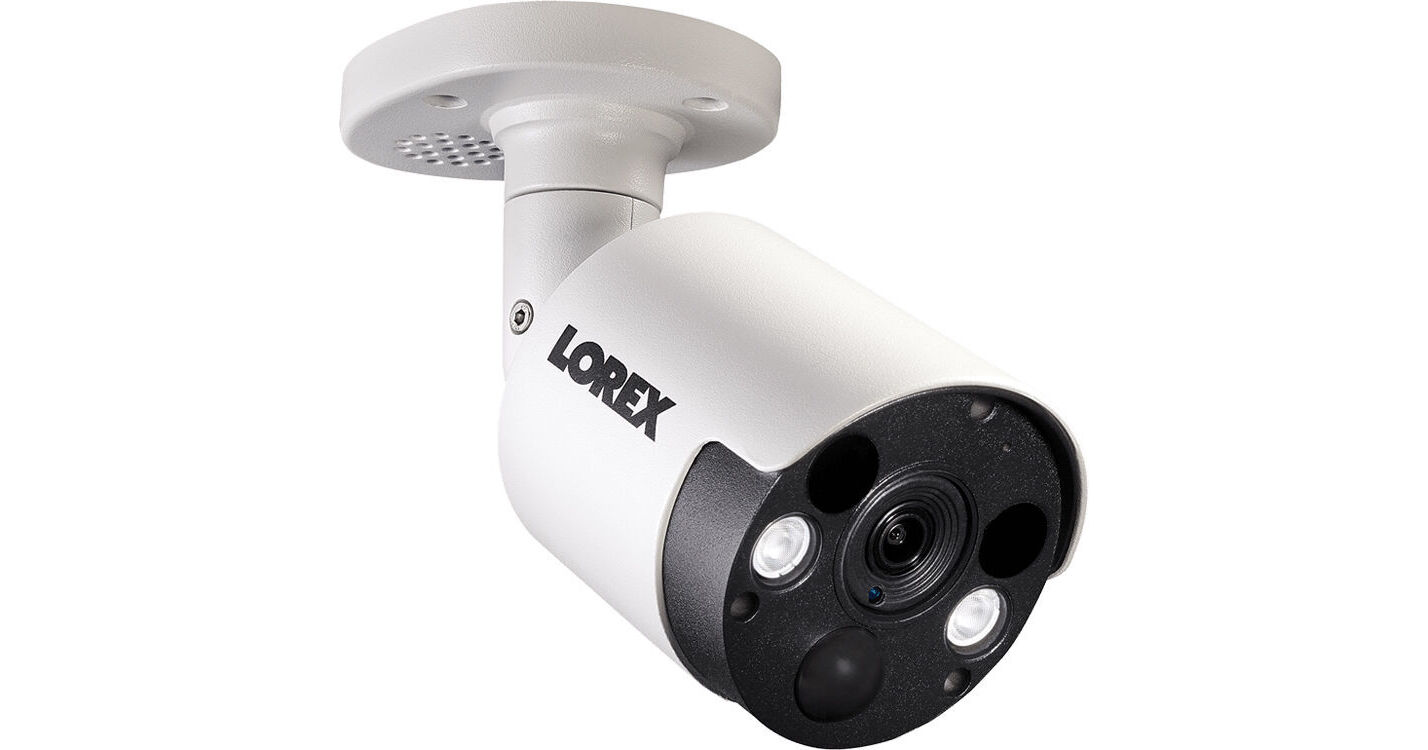
Here is an entry-level 4k camera. A brand commonly sold, for $99. If that's 10-20x a HD camera, I'd like to get as many of those $5 or $10 HD cameras as I can! :D


From Costco, here is a complete DVR system with six 4K cameras for under $500.

 
/ Starlink #1,128  
Suppose you own a 2nd property (or business) and want remote surveillance cameras.

Add 1 camera pointed in each direction (4 total,) 1 camera for an outbuilding, 1 more for something else. 6 cameras total. Typical off-the-shelf 4k cameras.

Since 4k cameras suck up bandwidth, you apply countermeasures: a) H.264 video compression to slash bandwidth, b) you cut the frame rate in half down to 15 frames per second from 30. So when someone walks through your camera picture, it will jitter and stutter a little as they go by. But you are OK with that since it will greatly reduce bandwidth.

To remotely view a live 6-camera display of your cameras, with those reductions, you need 50.3mbps.

Anyone else in your household who is streaming a movie isn't going to like your new cameras! ;)

technically correct but the logic does not hold up...a second property and or a business would require their own network services...also there is a reason those cams use motion sensing so they are not all broadcasting simultaneously or when there is no activity...
 
/ Starlink #1,129  
but the logic does not hold up...
Perhaps illogical for you, but exactly what I do with remote cameras at another property.

Due to bandwidth limit, I must downgrade 4k cameras using "second stream," (HD) and "third stream" (VGA resolution, down to 640x480.) 4k cameras are 3,840 x 2,160 resolution, but for remote live view I can only realistically push 640 x 480 VGA resolution "through the pipe" due to bandwidth limit.

Your comment was to wonder how anyone could need more than 25mb speed. Remote live view of even a few 4k cameras quickly blows past that. And even at HD resolution (1920 x 1080), at 30 fps you need 25 mbps for live view of six cameras. Leaving no bandwidth for anything else.

At Starlink speeds, I will be able to eliminate the slower streams necessary for slower alternatives.

Finally, you might consider that your stated 25mb speed is not constant for both upload and download. When I connect to a remote camera, it has to push video "up" its internet pipe to get to me. The upstream speed is typically a much lesser speed than the download speed.
 
/ Starlink #1,130  
Perhaps illogical for you, but exactly what I do with remote cameras at another property.

Due to bandwidth limit, I must downgrade 4k cameras using "second stream," (HD) and "third stream" (VGA resolution, down to 640x480.) 4k cameras are 3,840 x 2,160 resolution, but for remote live view I can only realistically push 640 x 480 VGA resolution "through the pipe" due to bandwidth limit.

Your comment was to wonder how anyone could need more than 25mb speed. Remote live view of even a few 4k cameras quickly blows past that. And even at HD resolution (1920 x 1080), at 30 fps you need 25 mbps for live view of six cameras. Leaving no bandwidth for anything else.

At Starlink speeds, I will be able to eliminate the slower streams necessary for slower alternatives.

Finally, you might consider that your stated 25mb speed is not constant for both upload and download. When I connect to a remote camera, it has to push video "up" its internet pipe to get to me. The upstream speed is typically a much lesser speed than the download speed.
No I acknowledged the fact that "some" users actually require high bandwidth pipes...but the typical family can easily get by with 25mb or less...many get by with much, much less that that...
 
/ Starlink #1,132  
I would bet that very few residential users have 4k security cams...4k cams cost 10-20 times as much as standard HD cams...

4K cameras are now the standard
 
/ Starlink #1,133  
4K cameras are now the standard
Maybe for CCTV systems...I doubt they sell many 4K + IP cams in rural areas where there is no high bandwidth services...thus the Starlink mission...

FWIW...I watched a SpaceX video discussing Starlink and they are saying they hope to reduce the cost of the gen 2 receivers down from $500 to $250-$300....
...They also said that only the new (not launched yet) satellites actually utilize sat to sat laser technology...

The video is available on Youtube TV and was released two days ago...
 
/ Starlink #1,134  
Most people only record in the highest resolution, so it’s on their local network. The remote feed does not need to be the highest resolution.
 
/ Starlink #1,135  
Most people only record in the highest resolution, so it’s on their local network. The remote feed does not need to be the highest resolution.
Probably true.
Mine does both low and hi resolution. Low resolution gets recorded over 30 day, the high resolution get recorded over after a short interval, unless triggered, that stays around till i delete it.
 
/ Starlink #1,136  
Thank you for the good information. Very helpful.

My prime Starlink dish location, unobstructed sky view, is 400 ft. from my residence. So I will get power out there, and plan to install ethernet/fiber modems since it exceeds the max Cat6 distance.

I noticed on Reddit they use 56V power. Not sure, but I think typical POE is 48V. Hmm.

Q1- Re: the Starlink router- does it do typical router tasks like port forwarding?

Q2- Is the user's Starlink IP address static (doubt it) or otherwise remotely addressable, so you could use a DynDns program to know how to get to it? I want to remotely connect to check status of various things (like power) and view IP cameras. HughesNet and their double layer system makes this very difficult, although not impossible. Hoping Starlink doesn't put similar roadblocks in the way.

Your idea of supplying power within 100ft of the dish and then doing fiber conversion on the back side of the controller to make the long run is what I've seen other folks do or talk about on Reddit. That is a good idea.

The Starlink router is locked down. No admin interface beyond choosing the network name, WPA3 and whether to separate the 2.4 and 5 GHz networks. You can put your own router in place of it without issue (though you may have to add a static route to get to the Starlink controller's stats/debug info) or you can add your own router after the Starlink router.

The IP assigned is not static and I don't believe you can access it remotely, or at least not easily.

Rob
 
/ Starlink #1,137  
The Starlink router is locked down. No admin interface ... add your own router after the Starlink router.
Sorry to hear there is no admin access.

It is unclear (to me) if the Starlink device called a "router" is truly a router. (I've never seen their device yet.) If others are using their own router, that makes me wonder if the Starlink device is *not* a router. (Not recommended to run a 2nd router behind a 1st router.) But ... the Starlink device also provides wifi, which is more than a plain vanilla computer modem would do. Hmmm.

No admin interface means no access to port forwarding, firewall rules, or ability to put it into bridge mode for a clean implementation of your own router. Very curious.

Some who have studied the circuitry have discovered where a likely USB serial interface is, although the supporting hardware is not on the board. Maybe they purposely removed that supporting hardware as they probably don't want tens of thousands of users fiddling with system options in their beta period.
 
/ Starlink #1,138  
Sorry to hear there is no admin access.

It is unclear (to me) if the Starlink device called a "router" is truly a router. (I've never seen their device yet.) If others are using their own router, that makes me wonder if the Starlink device is *not* a router. (Not recommended to run a 2nd router behind a 1st router.) But ... the Starlink device also provides wifi, which is more than a plain vanilla computer modem would do. Hmmm.

No admin interface means no access to port forwarding, firewall rules, or ability to put it into bridge mode for a clean implementation of your own router. Very curious.

Some who have studied the circuitry have discovered where a likely USB serial interface is, although the supporting hardware is not on the board. Maybe they purposely removed that supporting hardware as they probably don't want tens of thousands of users fiddling with system options in their beta period.

It certainly seems to be a 'typical' router. It provides a wifi network and allows one ethernet port that you can use for plugging in an endpoint or another router. It just doesn't have an admin page accessible. It is also an optional piece of the setup. Not required.

I've used multiple routers linked together for years without issue. My primary setup before Starlink was an Nighthawk LTE modem (which is also a wifi router and has an ethernet port) connected to a standard ASUS router. Then later I added a TP-Link Deco mesh system behind the Asus for better whole house coverage. I originally layered them like that because I needed better wifi than the Nighthawk or Asus could provide and a hardwired ethernet connection which the Asus provided but the Deco does not. Now I have the Deco system behind the Starlink router and all is well. Speeds are essentially the same through the Deco mesh as they are direct to the Starlink router. Two of us work full time through this setup, one via VPN and one via Citrix, splendidly, including tons of WebEx/Zoom/Teams meetings and VOIP. X-Box and Playstation gaming and Netflix/Prime/Hulu streaming all work fine as well.

If you don't like the Starlink router you can unplug it and plug your own router into the ethernet cable coming off the Starlink controller. Think of the controller as a cable modem or DSL modem. If you want more opinions, experience and expertise on this stuff go over to r/Starlink on Reddit.

As for the 'no admin access' side of it, I think they are trying to make the setup very simple for anyone to use. Like Apple does with their products. So that Grandma who lives out on the farm can order one, unbox it and have it running very quickly. Advanced users can enhance the setup as desired by replacing the router.

Rob
 
/ Starlink #1,139  
Now I have the Deco system behind the Starlink router and all is well.
OK good to know. Couple of questions:

Is your Starlink router performing routing functions? How can you port forward without admin access?

With your router-behind-a-router setup, do the secondary routers go into bridge mode or access point mode? I'm a little confused how more than one device could be doing routing functions without collisions, or without multiple VLANs.

btw, I would like to add a mesh network when Starlink arrives. Do you like the Deco system?
 
/ Starlink #1,140  
Too much garbeldygook for this old man to deal with.

My take...I have not heard anyone not liking StarLink...yet.

I have crap service so I "got bent over the log" and sent them $99 a couple of months ago to get in line. They may honor that or not...

My power company mapped out our area for Fiber optic but no idea if and when I will get it. So StarLink gives me something to look forward to.

I have no "high end" expectations as I doubt I could understand most of them anyway. I need internet for computers, tablets. phone and TV streaming. $500 and $99 per month is worth it to me if it works.
 

Marketplace Items

New/Unused Landhonor Quick Attach Hydraulic Winch (A61166)
New/Unused...
2013 ORTEQ ENERGY GN182 GOOSENECK HOSE TRAILER (A58214)
2013 ORTEQ ENERGY...
1454 (A57192)
1454 (A57192)
2019 GALYEAN EQUIPMENT CO. 150BBL STEEL (A58214)
2019 GALYEAN...
JOHN DEERE 331G SKID STEER (A62129)
JOHN DEERE 331G...
BOMAG BW213 SMOOTH DRUM ROLLER (A58214)
BOMAG BW213 SMOOTH...
 
Top