Forum Update - Test it out

   / Forum Update - Test it out #21  
looks the same to me. I see no difference in the layout, but might be loading a little faster.

it's different now. I didn't even have to click the link you posted.

It's a lot faster !

But there's no MY HOME at the top. Where do I see the threads I've subscribed to?
 
Last edited:
   / Forum Update - Test it out #22  
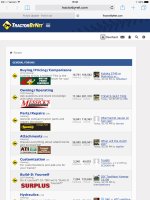
On my iPad I don't like it. It has taken away "today's posts" and other selections that used to be at the top of the page that I used every time. Here's a screen shot.

image.jpg
 
   / Forum Update - Test it out #23  
Also in the new layout it doesn't show which threads I have posted in. Is there a way to use the full site and not the mobile version?
 
   / Forum Update - Test it out #24  
That takes me to the last post not where I left off on the thread.
That will do the same thing as clicking on the link used to, take you to the last post that your browser opened. The link is the same.

As for the subscribed threads, it appears that going to http://www.tractorbynet.com/forums/usercp.php still works (unlike in the previous mobile skin), but I agree that a link in the header is needed.

Aaron Z
 
   / Forum Update - Test it out #25  
But there's no MY HOME at the top. Where do I see the threads I've subscribed to?

Click on "Settings" at the top. At least that works for me.
 
   / Forum Update - Test it out #26  
   / Forum Update - Test it out #27  
On my iPad I don't like it. It has taken away "today's posts" and other selections that used to be at the top of the page that I used every time. Here's a screen shot.
View attachment 429385
Odd, that set of links still shows up for me (on Firefox on Android or Windows 7):
links.JPG

Aaron Z
 
   / Forum Update - Test it out #28  
On my iPad I don't like it. It has taken away "today's posts" and other selections that used to be at the top of the page that I used every time. Here's a screen shot.

429385-forum-update-test-out-image-jpg

Odd, that set of links still shows up for me (on Firefox on Android or Windows 7):
429408-forum-update-test-out-links-jpg


Aaron Z
Yep, but not where they used to be.

429413-forum-update-test-out-new-top-jpg


429414-forum-update-test-out-swapped-jpg
 

Attachments

  • new top.JPG
    new top.JPG
    238.1 KB · Views: 421
  • swapped.JPG
    swapped.JPG
    62.1 KB · Views: 441
   / Forum Update - Test it out #29  
I use the 'MY HOME" feature/button all the time....couldn't find that in new layout...hope I just missed it...that's the primary way I start looking at threads in TBN....
 
   / Forum Update - Test it out #30  
   / Forum Update - Test it out #31  
I came back to this thread and it started me back to post #1 again. On all the threads I looked at it starts me from the 1st post. I don't like this at all!

Click on the round arrow to the left of the title (
firstnew.png
).
That is actually how almost every other forum works.

Aaron Z

That takes me to the last post not where I left off on the thread.

That will do the same thing as clicking on the link used to, take you to the last post that your browser opened. The link is the same.

-------------------------------
Aaron Z
Yep, it worked for me on Chrome and W8.1.

attachment.php


attachment.php


This is going to take some getting used to. :(
 

Attachments

  • button.JPG
    button.JPG
    132.7 KB · Views: 502
  • b2.JPG
    b2.JPG
    174.7 KB · Views: 474
   / Forum Update - Test it out #32  
I use the 'MY HOME" feature/button all the time....couldn't find that in new layout...hope I just missed it...that's the primary way I start looking at threads in TBN....

Me too. I'll just stay out of this until the dust settles. :(
 
   / Forum Update - Test it out #33  
The rotting elephant in the room for TBN improvement is getting ride of the pop up ads. They're like a swarm of mosquitoes. Others have mentioned possible work-arounds but I'm not an IT guy.
 
   / Forum Update - Test it out #34  
The rotting elephant in the room for TBN improvement is getting ride of the pop up ads. They're like a swarm of mosquitoes. Others have mentioned possible work-arounds but I'm not an IT guy.

I never have them. :confused3:
 
   / Forum Update - Test it out #35  
Hopefully the ads, and more importantly that darn double posting thing is taken care of in the new forum update.


Seriously, this double post problem has been around for a LONG time now and should have already been taken care of.
 
   / Forum Update - Test it out #36  
The rotting elephant in the room for TBN improvement is getting ride of the pop up ads. They're like a swarm of mosquitoes. Others have mentioned possible work-arounds but I'm not an IT guy.

I never have them either and I don't run any pop up blockers. Sometimes its not TBN that does these things.
 
   / Forum Update - Test it out #37  
Aaron, either of your links go to a page on which I can click on "subscriptions" and see the threads to which I'm subscribed. So I don't guess I understand. I thought that was the answer to his question.
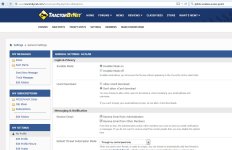
When I go to http://www.tractorbynet.com/forums/profile.php?do=editoptions I get this page (just settings):
Settings.JPG
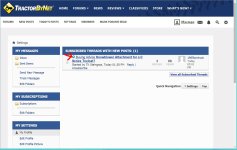
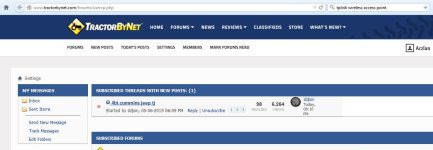
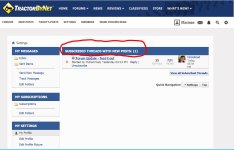
When I go to http://www.tractorbynet.com/forums/usercp.php I get a list of the threads I have subscribed to with new posts:
Usercp.JPG
I use http://www.tractorbynet.com/forums/usercp.php as my "starting point" for browsing TBN so I can catch up on the threads I am following.

Aaron Z
 
   / Forum Update - Test it out #38  
On my droid phone it looks just like deereherd posted in post 22-23. No my home, today's posts, etc. And when viewing thread titles with the phone vertical, some stuff on the right is cut off. But can see it when horizontal.

I don't like it. At least on my phone. Haven't tried the PC yet
 
   / Forum Update - Test it out #39  
I use the 'MY HOME" feature/button all the time....couldn't find that in new layout...hope I just missed it...that's the primary way I start looking at threads in TBN....

Me too. I'll just stay out of this until the dust settles. :(

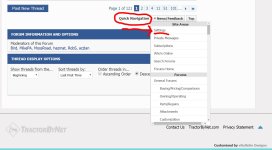
I found a way to get there. At the bottom of the page there is a "Quick Navagation" box.

Click the arrow, then click "Settings", it takes you to the same page as "My Home"

429445-forum-update-test-out-qns-jpg


429446-forum-update-test-out-stnp-jpg


This is the same page that Aaron's link goes to. And the same link that I have bookmarked for my starting point.:thumbsup:

I use http://www.tractorbynet.com/forums/usercp.php as my "starting point" for browsing TBN so I can catch up on the threads I am following.

Aaron Z
 

Attachments

  • qns.JPG
    qns.JPG
    109.9 KB · Views: 327
  • stnp.JPG
    stnp.JPG
    130 KB · Views: 318
Last edited:
   / Forum Update - Test it out #40  
Doesn't appear to have "my home" so can't follow the threads I am interested in. If so huge step backward.
 

Tractor & Equipment Auctions

2018 FREIGHTLINER CASCADIA TANDEM AXLE SLEEPER (A59905)
2018 FREIGHTLINER...
2016 FORD F-350 XL SUPER DUTY EXT CAB TRUCK (A59823)
2016 FORD F-350 XL...
2012 HYUNDAI  HL740-9 WHEEL LOADER (A58214)
2012 HYUNDAI...
2019 INTERNATIONAL 4300 26FT NON CDL BOX TRUCK (A59905)
2019 INTERNATIONAL...
1986 Ford LNT9000 Dump Truck (A56438)
1986 Ford LNT9000...
2008 V.E. ENTERPRISES 130BBL VAC TRAILER (A58214)
2008 V.E...
 
Top