Photo Posting How To

/ Photo Posting How To #22  
Grrrr or Rob or Larry


how do you draw on the pictures like Lary and Rob do?

tom
 
/ Photo Posting How To #23  
tommu56 said:
Grrrr or Rob or Larry


how do you draw on the pictures like Lary and Rob do?

tom
You do it with a photo editing program. I use Photoshop. But that is kinda pricy for most people. Here is a free one. IrfanView - Official Homepage - one of the most popular viewers worldwide
you take the picture and then draw on it with the editing program and then save it and then post it.
Windows Paint probably works also. I have not used it so long not sure.
 
/ Photo Posting How To
  • Thread Starter
#24  
Jimbrown said:
You do it with a photo editing program. I use Photoshop. But that is kinda pricy for most people. Here is a free one. IrfanView - Official Homepage - one of the most popular viewers worldwide
you take the picture and then draw on it with the editing program and then save it and then post it.
Windows Paint probably works also. I have not used it so long not sure.

This is true, you have to edit the photo before you upload it to TBN.

There are different ways of doing it with different programs as mentioned, but I think the easiest way to do it is to use Paint, the free editing program included with all versions of Windows.

To open Paint, Go to Start, then All Programs or Programs and then Accessories then click on Paint.

This will open a blank white screen with a toolbar down the left hand side. The icons in the toolbar represent different drawing tools. Clicking on the Paintbrush will give you a pen that will draw a line.

To get your picture to draw on, you have to click on File and then Open. Then find the picture you want to edit. Then click Open.

You can then draw all over your picture.

To save this picture, click on Save or Save As in the File menu. Save As will let you save another copy of the picture you have edited, Save will overwrite the original picture.

Then upload it as per the other instructions.
 
/ Photo Posting How To #25  
Yeah,
Tom,
I use paint too. I also have infranview so either program will work.
It is important to use "save as" if you want to keep the original photo. Otherwise if you use "save" your original will be lost and the only one will be with all that scribbling on it. At least for me, since I screw up what I scribble on it, it is important to keep the original so I can screw it up too.:)

I agree with Jim that this thread should be stickied!
 
/ Photo Posting How To
  • Thread Starter
#26  
Sorry to bring up an older topic.

I have just taken a video of my phone and got it on to another forum.

I thought about making a tutorial for uploading videos when I made this one for photos but didn't have time.

Would anyone find it usefull if I made a video uploading tutorial?

So many people have cameras and phones that can take videos, I thought that if I made one, more people would be able to show videos.

Also, many people do not realise that most digital cameras can take videos. These are easy to upload.

So, if anyone would find it usefull please reply and I will make another step by step tutorial.
 
/ Photo Posting How To #27  
Very helpful thread! I always wanted to know how to do the thumbnails.

Here's my first test
 
/ Photo Posting How To
  • Thread Starter
#28  
tony123 said:
Very helpful thread! I always wanted to know how to do the thumbnails.

Here's my first test


Glad it helped you!

It is a shame this thread wasn't stickied or added to the FAQ becasue then I think more people would learn how to do it like you have.
 
/ Photo Posting How To #29  
Grrrr said:
Resizing Pictures

If you have a program like Photoshop you can use this to resize your image. You are aiming to make the picture about 640 x 480 pixels.


Thanks for the useful info on posting pix, Jake.

I dont' know why this has not been brought up more often, but TBN
posters need to exercise a bit more control on the sizes of photos they
upload. Just because TBN allows 1000KB JPG photo sizes, does not mean
you should do it. Even 640x480 is too big, at over 300KB. In this thread,
both the tomato photo and the MF are only 80KB, and they are of
excellent quality and very useful size. 80K-150KB is plenty big.

BTW, photo sizes can also be taken by the camera at less than full
resolution.

Many computer users still do not have broadband access.
 
/ Photo Posting How To
  • Thread Starter
#30  
I just found this online picture resizer. I don't think it could be any easier than this :)

Online Image Resizer - Resize digital photo, images or pictures online!

If you want to resize a picture for the benefit of dial up user go to that website, click on browse and find the picture, set the simple options it gives you and then choose the size you want.

Then click OK. It will give you the resized picture that you can right click and choose save as. Then you can upload it to the TBN servers.

Couldn't be easier could it :D Now there is no excuse not to resize pictures.

The website will even let you crop the picture.

Hope this can help someone.
 
/ Photo Posting How To #31  
Jake,
This is the one I use.
It is a free down load for Windows XP. If you want to resize a picture, you just right mouse click on it and the re-sizer will pop up on the menu. Click it and it will give you an option as to what size you want to re-size it. It saves a copy of the re-sized picture and does not remove your original. If you want to re-size a whole bunch at one time, hi light them all and right mouse click and do then all at once.

Here is the link to it.
Windows Picture Re-Sizer for XP
 
/ Photo Posting How To #32  
Rob, thanks for that link. I just downloaded it and gave it a try. Really cool!

I was using Picasa (by google). I still use it for photo management and emailing photos, but this will work better for sending to photobucket.
 
/ Photo Posting How To
  • Thread Starter
#33  
Rob, I have that program as well.

The reason that I posted that link was that I thought that if someone did not want to download something it might be useful. Granted you would not want to use it for a lot of pictures.

I also use Pix Resizer which is a bit more powerful in terms of features than the powertoy. It is a good free program.

I also noticed that Photobucket now have a bulk image uploader but I have not had time to look at it yet. Does it mean that you can now upload whole folders.

I have always used this to upload photos to Photobucket. It allows you to use the built in web publisher in XP to send photos to Photobucket. You can let it upload thousands of photos at a time and I think it works much much faster.
 
/ Photo Posting How To #34  
Jake,
I didn't even know about the bulk image uploader until I read this. LOL ... shows how much attention I pay, huh?:)
I'll check it out, so I don't know what you can do with it yet.

Using that web publishing wizard to upload looks really easy. I'm going to try it next set.
Thanks for bringing it up.
 
/ Photo Posting How To #36  
Trying an experiment here. Doesn't look like it worked:eek:
C:\CellPhotos\Rainbow2.jpg
 
/ Photo Posting How To
  • Thread Starter
#37  
TrippleT said:
Trying an experiment here. Doesn't look like it worked:eek:
C:\CellPhotos\Rainbow2.jpg
For us to be able to see your photos, you need to have uploaded it to a webserver.

This is because if the image is stored on your C:\ drive and then you turn your computer off we can't see it. (It is not actually that simple, but makes it easy to understand. You may be able to see it because that image is on your computer, but no one else has it on their C:\.)

You need to upload it to a webserver. This is just a technical name for a place to store things so as other people can see them.

This can be done using the TBN servers or Photobucket / Imageshack.

Copied from Post No 4

Grrrr said:
Inserting pictures as attachments using the TBN servers (recommended)

The end result will be like the one at the bottom of this post.
  1. Once you have resized your pictures it is sensible to put them on your desktop or somewhere else where it is easy to find them again.
  2. You then need to write the post that you wish to put the photos in with. Write out the message and then go down to the bottom of the text editor past where it says Submit Post to Manage Attachments.
  3. This will open up a popup. This popup gives you options for uploading your photos. You need to go to the box where it says Upload Files from Your Computer.
  4. In this box, click browse and find the photo on your desktop you want to upload. Then click Open. This will close the box and the path will now be in the text box.
  5. The last step is to click upload. The picture you chose will now be copied to the TBN server.
Thats it, you have uploaded your first picture. If you wish to post more than one picture in the same post you can repeat steps 4 and 5 to upload as many photos as you want.


Once you have finished, you can click on Close this window at the bottom of the popup.

Then click submit as you normally would.

This will make the image appear like the one at the bottom of this post. Have a go and try it for yourself :)

Once you have done this once you will find it easy.
 

Attachments

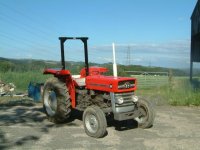
  • MF135.jpg
    MF135.jpg
    79.3 KB · Views: 254
/ Photo Posting How To
  • Thread Starter
#38  
Rob, I agree that the XP Publisher is really easy to use. Does Photobucket limit you on how many pictures you can store?

I might just go and have a look at the Bulk Uploader now...
 
/ Photo Posting How To #39  
3RRL said:
Jake,
I didn't even know about the bulk image uploader until I read this. LOL ... shows how much attention I pay, huh?:)
I'll check it out, so I don't know what you can do with it yet.

Using that web publishing wizard to upload looks really easy. I'm going to try it next set.
Thanks for bringing it up.
I really like the photobucket bulk uploader. It lets you select pictures right from your folders and none of the going back and forth with the browse command.
 
/ Photo Posting How To
  • Thread Starter
#40  
I have just had a little experiment with the Bulk Uploader.

First, It takes a while to load so if there is no broadband access it is not much use.

Once it is loaded thought it makes it very easy to browse through the photos on your computer and select which ones you want to upload.

I like the way that you can see the photos in the tray at the bottom and right captions while looking at the photos.

I am also glad that they have made it possible to select the entire contents of a folder with the select all button on the top right.

I like it a lot and will use it. If anyone else uses Photobucket and normally uses the manual browsing for photos method, I suggest you have a go at using the Bulk Uploader some time.
 

Marketplace Items

2013 Ram 1500 Crew Cab Pickup Truck (A59230)
2013 Ram 1500 Crew...
YANMAR VIO35-6A EXCAVATOR (A59823)
YANMAR VIO35-6A...
UNUSED 7" MINI EXCAVATOR TOOTHBED BUCKET (A60432)
UNUSED 7" MINI...
2023 Bobcat T770 (A60462)
2023 Bobcat T770...
2022 Caterpillar 906M Compact Articulated Wheel Loader (A56857)
2022 Caterpillar...
2018 Peterbilt 348 T/A Rollback Truck (A59230)
2018 Peterbilt 348...
 
Top