Starlink

   / Starlink #961  
Used to get about 4 minutes of obstruction in 12 hours. Now down to 4 seconds. The trees did not move. So I assume the dish is now being handed off from one satellite to another to keep the signal.
 
   / Starlink #962  

Starlink on the move!
 
   / Starlink #963  
Used to get about 4 minutes of obstruction in 12 hours. Now down to 4 seconds. The trees did not move. So I assume the dish is now being handed off from one satellite to another to keep the signal.
Don't the satellites orbit the same speed as the earth rotates meaning that theory is probably not true? Pretty sure the dish tracks the same satellite constantly.
 
   / Starlink #964  
They are not geo-stationary. The dish will change sats as needed.

A recent Starlink update did indeed improve the way the system tracks sats and changes between them.

Rob
 
   / Starlink #966  
Don't the satellites orbit the same speed as the earth rotates meaning that theory is probably not true? Pretty sure the dish tracks the same satellite constantly.

Older satellite internet systems and every satellite TV system I'm aware of use geosynchronous satellite systems. In order to stay stationary over a point on the earth, a geosynchronous satellite must orbit over the equator and at an altitude of 22,236 miles. That is the only orbit altitude and location which will result in the satellite remaining in a fixed position in relation to a point on the earth. One down side is that it take time for the signal to travel to and from the satellite, resulting in a significant lag.

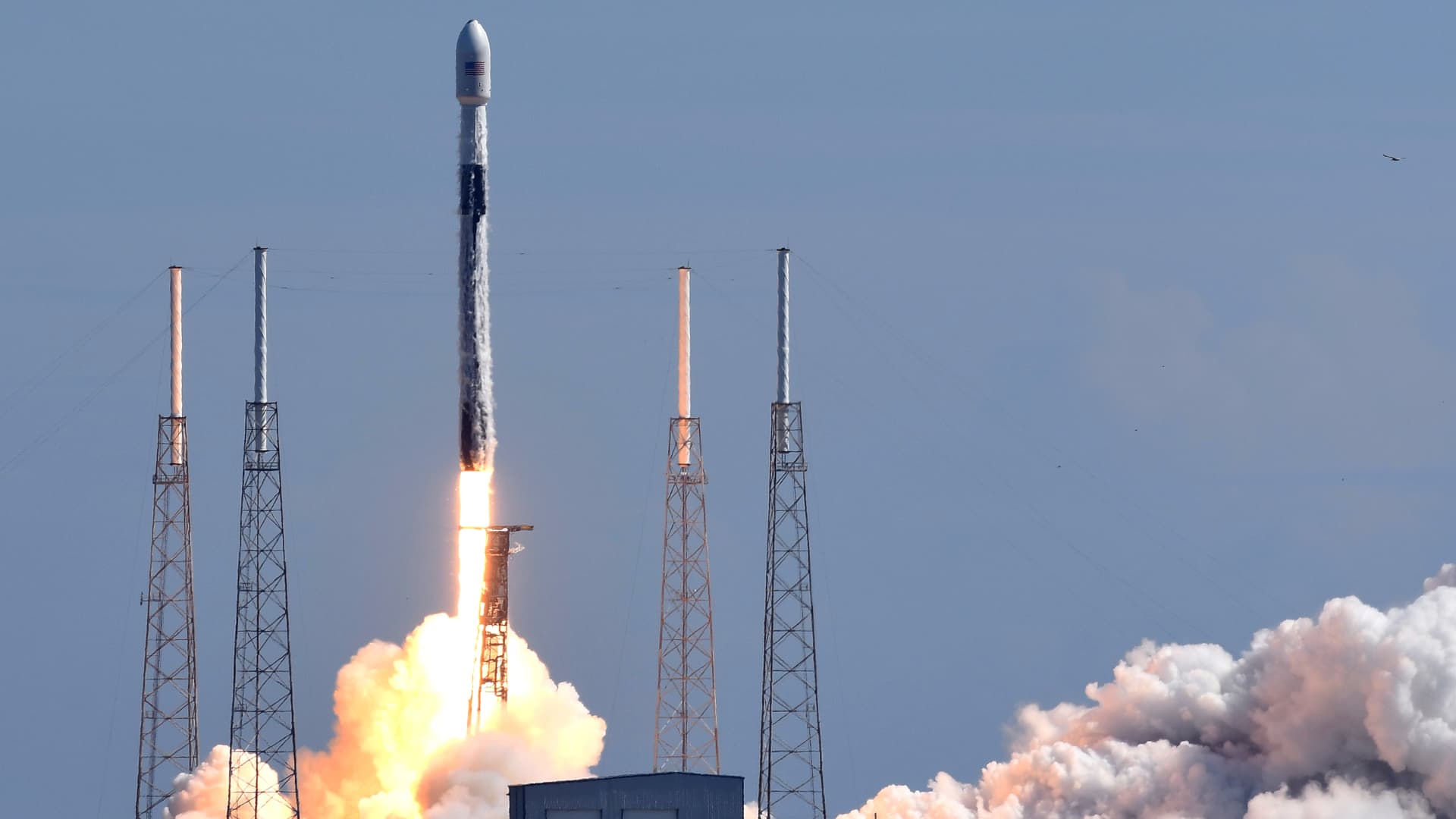
Starlink satellites orbit at about 340 miles. This cuts the lag time tremendously. Since the satellite is constantly moving, it eventually moves out of range, and your dish needs to connect with a new satellite.
 
   / Starlink #967  
I just bought our retirement home and found out that there is fiber optic running on our road, but it is not connected to the house. The provider wants $150/month for 100Mps download speed. This is the max speed they offer, with the fiber optic cable run to the house. I thought that speed was slow for FO cable. Then I got the quote for installing the cable to the house. Granted my driveway is fairly long, but the quote was $6750.00 to get the cable from the street to my house.
Starlink is looking better and better to me.
In my area of rural Mississippi they ran fiber "trunks" up and down the main rural roads about 12 years ago. I've one property about 2 miles from my house that has the "dark fiber" . But they still have not run fiber in the counties yet. They estimated three years, but that was before Covid 19.

Starlink on the move!
Now THAT's what I need!!
 
   / Starlink #969  
In my area of rural Mississippi they ran fiber "trunks" up and down the main rural roads about 12 years ago. I've one property about 2 miles from my house that has the "dark fiber" . But they still have not run fiber in the counties yet. They estimated three years, but that was before Covid 19.

Now THAT's what I need!!
Huh? Dark Fiber is fiber not in use, ie, no light on that bad boy as in not functioning. Maybe you have your terms messed up
 
   / Starlink
  • Thread Starter
#971  
For some reason people give the guy millions of dollars and free advertisement every week every month.
Yeah go figure ... he'll probably drive on stage in a Tesla 🚙 or land on stage in a Falcon 9 🚀
 
   / Starlink #973  
   / Starlink #974  
Maybe this was discussed earlier, but if you have a larger house, is the Starlink router providing adequate coverage? We current use a Netgear Mesh system to get coverage through the house. I believe that I can bypass the Starlink router and plug directly into our current mesh but then we lose access to the statistics that are available with a direct connect to the SL router. And, if I am reading information correctly from some other website, plugging in the mesh network to the SL router can cause problems. So, I am sure someone has a work around for this besides bypassing the SL router?
 
   / Starlink #975  
The NC governor was talking recently about spending huge sums of money to improve rural internet service. Course, huge sums have already been spent, but my county has seen very little improvement by this spending...

This is a common problem around the world, and I saw that in Ireland, they had spent quite a large sum of money to improve Internet access. The frustrating thing was the "poor" speed on the Irish network was much better than what we get....

By the time the various governments make any real progress, StarLink will have solve the problem. (y) :)

Later,
Dan
 
   / Starlink #976  
Maybe this was discussed earlier, but if you have a larger house, is the Starlink router providing adequate coverage? We current use a Netgear Mesh system to get coverage through the house. I believe that I can bypass the Starlink router and plug directly into our current mesh but then we lose access to the statistics that are available with a direct connect to the SL router. And, if I am reading information correctly from some other website, plugging in the mesh network to the SL router can cause problems. So, I am sure someone has a work around for this besides bypassing the SL router?

The included router seems decent but not anything exceptional. The good thing is that you have options. You can plug your mesh system into the Starlink router for better home coverage or you can omit the Starlink router entirely and just use your own setup. I haven't heard of issues plugging a mesh into the Starlink router. I'm using mine like that the last few days as I've moved on to my next phase of testing/confidence with Starlink. What issues have you heard about?

The stats and debug stuff can still be accessed without the Starlink router but I believe you have to set up something in your router to get the requests back to the controller correctly (static route??).

Rob
 
   / Starlink #977  
I'm ok with it.
Maybe I will get the call to "Come On Down!!!!" sooner
 
   / Starlink #978  
The NC governor was talking recently about spending huge sums of money to improve rural internet service. Course, huge sums have already been spent, but my county has seen very little improvement by this spending...

This is a common problem around the world, and I saw that in Ireland, they had spent quite a large sum of money to improve Internet access. The frustrating thing was the "poor" speed on the Irish network was much better than what we get....

By the time the various governments make any real progress, StarLink will have solve the problem. (y) :)

Later,
Dan

And it is probably a better solution than running wire/fiber all over rural America. I'm almost wishing all the states, feds and whoever that is funneling money into rural broadband infrastructure would band together and support Starlink in a way that reduces the cost to consumers. For instance, have public funds cover half the cost of Starlink infrastructure and then halve the cost to customers because of that subsidy. Just a rough suggestion to get the concept across. I know public/private ventures get complicated, but this could be a good thing and others have worked (toll roads, for instance).

That would get good Internet rolled out far faster to the country than running cable/fiber/copper.

Rob
 
   / Starlink #979  
"The included router seems decent but not anything exceptional. The good thing is that you have options. You can plug your mesh system into the Starlink router for better home coverage or you can omit the Starlink router entirely and just use your own setup. I haven't heard of issues plugging a mesh into the Starlink router. I'm using mine like that the last few days as I've moved on to my next phase of testing/confidence with Starlink. What issues have you heard about?"

I am not a network person, so much of the details about the issues using a mesh router with the Starlink router have to do with "Double NAT" or two IP addresses behind the router. Apparently there is some workaround using a switch or some other changes to the second router, but I have not done a deep dive into the details. We have a number of devices that connect to our mesh system and a too large house so coverage issues for us were solved with the mesh router. When we get our Starlink I am hopeful we can continue to use the mesh system but I am not sure what we give up by excluding the SL router if it causes problems.
 
   / Starlink #980  
I've used a similar setup for quite some time without issues. My main ISP was a AT&T Mobley hotspot (eventually replaced by a Netgear Nighthawk M1 device). That was hooked to my Asus router (via USB for Mobley and then ethernet for Nighthawk) as the WAN source. Added a TP-Link Deco mesh system later by just plugging it into the Asus router LAN port. Never had an issue with NAT stuff. Almost every device in our house connects through the Deco mesh network devices. Phones, desktop computers, laptops, Playstations, Fire TV, smart appliances. All good. Now with Starlink I just replaced the WAN connection on the Deco mesh with the Starlink router. So at present I have Starlink controller--Starlink router-->Deco mesh. I'm sure this isn't supposed to work very well but it does. At some point I'll probably remove the Starlink router.

I guess my point is that you probably shouldn't worry about issues until/unless you actually encounter them. Lots of configs work just fine.

Rob
 

Tractor & Equipment Auctions

2013 VOLVO EC250DL EXCAVATOR (A60429)
2013 VOLVO EC250DL...
2020 ISUZU NQR BOX TRUCK (A58214)
2020 ISUZU NQR BOX...
2007 Kenworth Tandem Axle Road Tractor (A47477)
2007 Kenworth...
500 BBL FRAC TANK (A58214)
500 BBL FRAC TANK...
16ft T/A Utility Trailer (A59231)
16ft T/A Utility...
2022 JOHN DEERE 744L WHEEL LOADER (A60429)
2022 JOHN DEERE...
 
Top